
Okta Verify
DownloadApp details
- Version
- 9.6.0
- Updated
- 01.10.2026
- Category
- Tools
- Compatibility
- Android 12+
- Package name
com.okta.android.auth- Developer
- Okta Inc.
- Source
- Official Google Play page
Okta Verify is a lightweight and highly efficient application designed to provide secure access to corporate applications through multi-factor authentication. The primary purpose of this add-on is to guarantee that only authorized users can access specific forms and data entries. This ensures a high level of data protection for the company and the personal information of its employees.
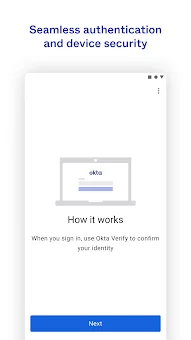
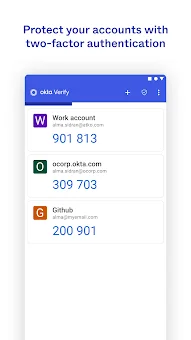
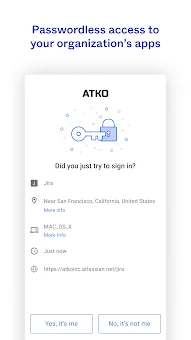
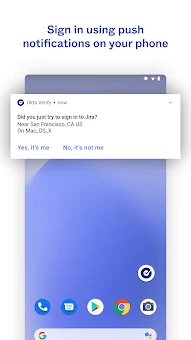
The program integrates seamlessly into the system login process, offering several effective verification methods to keep your account safe from unauthorized access attempts. Users can confirm their identity using push notifications that appear directly on the device, provided the option is activated by the organization administrator. Additionally, the app supports the generation of time-based six-digit codes that remain valid for a limited period.
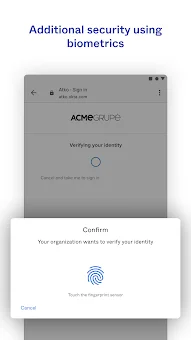
Biometric authentication is also supported if enabled in your company's settings. This approach allows for quick and convenient login completion, minimizing delays and friction during the authentication process. For initial setup and registration within the Okta system, the smartphone camera is utilized.
The program requests permission to access the camera exclusively for scanning QR codes, which significantly simplifies the initial configuration process.
How to install the app
- Check the version, Android compatibility, developer and source in the app details block.
- Open the Downloads tab and use the official source or an available catalog link.
- Before installing, review app permissions and use only sources you trust.
Frequently asked questions
What is Okta Verify and how does it work?
Okta Verify is a multi-factor authentication app that secures access to corporate applications. It works by sending push notifications to your device or generating time-based one-time passwords (TOTP) that you enter during the login process to verify your identity.
Does Okta Verify require camera access?
Yes, Okta Verify requests camera access primarily during the initial setup phase. This permission is used exclusively for scanning QR codes to register your device with your organization's Okta account, ensuring a quick and accurate configuration process.
What verification methods does Okta Verify support?
The application supports multiple verification methods including push notifications for instant approval, time-based one-time passwords (TOTP) for offline access, and biometric authentication such as fingerprint or facial recognition if enabled by your administrator.
Is Okta Verify suitable for enterprise use?
Absolutely. Okta Verify is designed for large and medium-sized enterprises. It integrates with cloud services and corporate platforms, offering IT administrators reliable tools for managing access and ensuring that only authorized employees can access sensitive company data.
Similar apps







No comments yet. Be the first!