

Phone Junk Files Clear
DownloadApp details
- Updated
- 17.09.2026
- Category
- Tools
- Compatibility
- Android
- Package name
com.phone.junkclear.phoerg- Source
- Official Google Play page
Have you ever experienced the frustration of your phone displaying the annoying "Cannot access photo, memory is full" notification? Perhaps you want to install a new game but are forced to delete cherished old photos just to free up space? This scenario is familiar to many users of modern smartphones.
Your device is often cluttered with invisible junk files that occupy valuable storage space without your knowledge. These hidden data fragments accumulate over time, slowing down performance and reducing the available capacity for your important media. The Phone Junk Files Clear app is designed specifically to solve this problem.
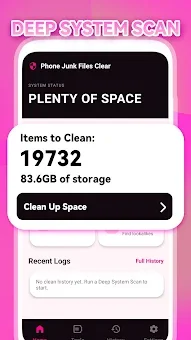
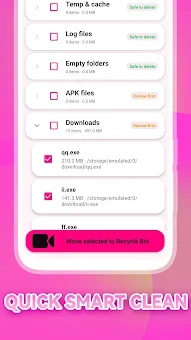
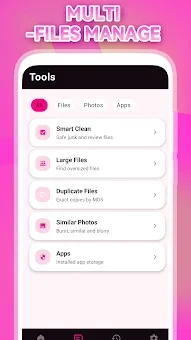
It works like a smart and respectful digital janitor, deeply scanning your device's memory and automatically identifying unnecessary data. The main advantage of this program is its ability to quickly and effectively clean accumulated junk without requiring you to manually select every single file. It analyzes the system for duplicate icons, leftover data from uninstalled apps, browser caches, and other redundant information that slowly fills up internal storage.
After identifying these elements, Phone Junk Files Clear offers safe deletion, freeing up space for your valuable photos, videos, and new applications. This allows you to avoid the constant balancing act between saving memories and installing new software. This tool is useful for everyone who values the stability and speed of their smartphone.
How to install the app
- Check the version, Android compatibility, developer and source in the app details block.
- Open the Downloads tab and use the official source or an available catalog link.
- Before installing, review app permissions and use only sources you trust.
Frequently asked questions
What is the main function of the Phone Junk Files Clear app?
The main function is to automatically scan your Android device for unnecessary files, browser caches, and duplicate data to free up internal storage space efficiently.
Does the app require manual selection of files to delete?
No, the app automatically identifies and suggests safe deletion of accumulated junk files, allowing you to clean your storage with minimal manual intervention required.
Who is this application suitable for?
This application is suitable for all Android users, from beginners who want to quickly clean their phone to advanced users seeking detailed reports on storage usage and optimization.
How does this app help with phone performance?
By removing redundant data and freeing up storage, the app helps prevent system freezes and interruptions, ensuring smoother performance for games and photo shooting.
Similar apps



No comments yet. Be the first!