
Real-time FPS Monitor
Open in Google PlaySpaceAPK does not provide APK files. A listed Google Play link is a reference: check the store for availability, version, price and paid features. The catalog version is not offered as a downloadable file.
App details
- Recorded version
- 2.2.2
- Updated
- 17.09.2026
- Category
- Tools
- Compatibility
- Android 10+
- Package name
com.tribalfs.realtimefps- Source
- Google Play reference
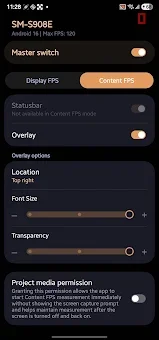
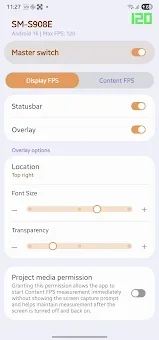
Enhance your Android gaming and debugging experience with the Real-time FPS Monitor APK, a lightweight tool designed to track your device’s display and content frame rates in real time. This application provides a highly customizable floating overlay that sits unobtrusively on your screen, allowing you to monitor performance metrics without interrupting your gameplay or application usage. It is an essential utility for enthusiasts who want precise visibility into how their Android operating system handles rendering and display scheduling.
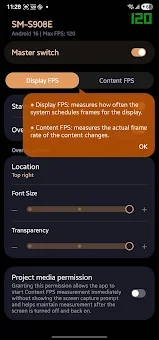
The app features dual measurement modes to give you a comprehensive view of your device's performance. Display FPS measures how often the system schedules frames for the display panel, which is ideal for verifying adaptive refresh rate transitions between 1Hz, 60Hz, 90Hz, and 120Hz. You can instantly check if your high refresh rate mode is active or if battery saver modes are throttling your screen.
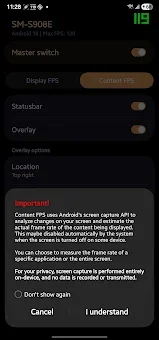
This mode is also perfect for UI benchmarking, helping you test the smoothness of system menus and interface scrolling. Content FPS analyzes the actual visual frame rate of the content being rendered, making it the best choice for measuring mobile game performance and video playback smoothness. This mode helps you easily catch micro-stutters, frame drops, and poor frame pacing that might otherwise go unnoticed.
Availability and source
- Check the version, Android compatibility, developer and source in the app details block.
- Open the official app page on Google Play if a link is available.
- Before installing, review app permissions and use only sources you trust.
Frequently asked questions
What is the difference between Display FPS and Content FPS?
Display FPS measures how often the system schedules frames for the screen, while Content FPS measures the actual visual frame rate of the rendered content.
Can I use this app to check if my high refresh rate is active?
Yes, the Display FPS mode allows you to verify adaptive refresh rate transitions and confirm if your high refresh rate mode is currently active.
Does the floating overlay impact gaming performance significantly?
The overlay is designed to be lightweight and highly customizable, ensuring it does not heavily impact system resources or obstruct interactions during gameplay.
How can I quickly launch the FPS monitoring tool?
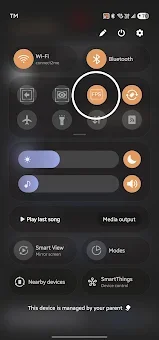
You can launch or stop monitoring directly via a Quick Settings Tile, an app shortcut, or through integration with Tasker and Automate automation apps.
Similar apps


No comments yet. Be the first!