

RetroArch Plus
DownloadApp details
- Version
- 1.22.2
- Updated
- 13.10.2026
- Category
- Action
- Compatibility
- Android 4.1+
- Package name
com.retroarch.aarch64- Source
- Official Google Play page
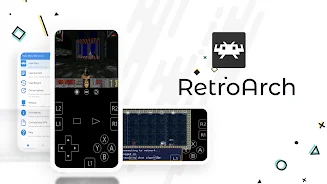
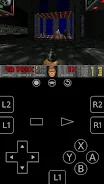
RetroArch Plus is an advanced open-source application designed for Android devices running version 8.0 or higher. This unique version supports an impressive 127 cores, significantly enhancing your gaming experience compared to the standard version. With its powerful Libretro interface, RetroArch allows users to create cross-platform applications that utilize features like OpenGL and camera support, making it a versatile tool for gamers and developers alike.
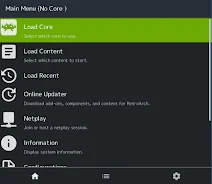
This special 64-bit version is optimized for devices capable of handling 64-bit applications, ensuring smooth performance and compatibility. RetroArch serves as a comprehensive entertainment hub, offering a built-in collection of applications that cater to various gaming needs. To unlock its full potential, users must download additional cores through the app’s Online Updater feature, enabling access to a wide range of games and emulators.
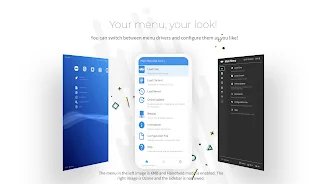
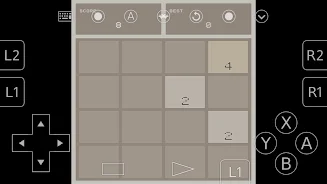
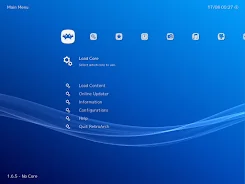
The app boasts eye-catching menus, file scanning capabilities, and the ability to view detailed game information once added to your collections. With over 80 programs available, RetroArch Plus also includes features like input remapping, controller support, and the option to load cheats for a personalized gaming experience. Furthermore, it supports shaders and overlays, allowing for unique visual enhancements during gameplay.
As a completely open-source project, RetroArch Plus ensures no DRM, ads, or user tracking, providing a secure and unrestricted environment for gaming enthusiasts. Join the community on Discord for support and matchmaking, or visit the official website for tutorials and development updates. With its rich features and user-friendly interface, RetroArch Plus is a must-have for any serious gamer looking to elevate their Android gaming experience.
How to install the app
- Check the version, Android compatibility, developer and source in the app details block.
- Open the Downloads tab and use the official source or an available catalog link.
- Before installing, review app permissions and use only sources you trust.
Frequently asked questions
What is RetroArch Plus?
RetroArch Plus is an open-source application for Android that allows users to run games and emulators using Libretro cores.
How do I download cores in RetroArch Plus?
You can download cores by navigating to 'Online Updater -> Core Updater' within the app.
Is RetroArch Plus free to use?
Yes, RetroArch Plus is completely free and open-source with no ads or restrictions.
What devices are compatible with RetroArch Plus?
RetroArch Plus is compatible with Android devices running version 8.0 or higher.







No comments yet. Be the first!