
Simple PDF Viewer
DownloadApp details
- Version
- 1.0.3
- Updated
- 29.09.2026
- Category
- Tools
- Compatibility
- Android
- Package name
com.nepyr.pdf.viewer- Developer
- WSL FAR
- Source
- Official Google Play page
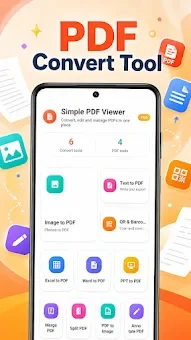
Simple PDF Viewer is a robust and feature-rich application designed for efficient viewing and processing of PDF documents on Android devices. It is the ideal solution for users who need quick access to important information without wasting time converting large files. The primary goal of the software is to provide a lightweight interface and powerful tools for working with documents directly from your smartphone or tablet.
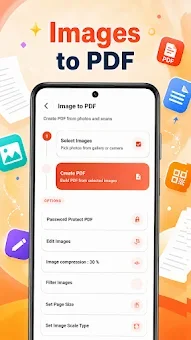
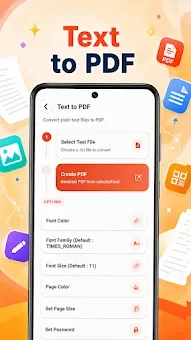
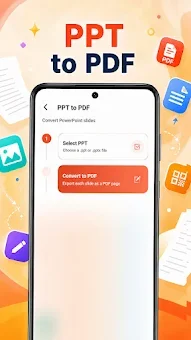
Among its key features, Simple PDF Viewer stands out for its support for file conversion into various formats. You can easily convert images, text files, Word documents, Excel spreadsheets, and PowerPoint presentations into PDF format. When creating a new PDF file, you can adjust detailed parameters such as font styles, page size, and image compression to suit your specific needs.
This allows you to optimize file size while preserving the necessary visual quality. The app also offers practical functions for daily document work. You can merge multiple files into one or split large PDFs into separate parts, significantly simplifying archive organization.
The presence of annotation tools allows you to add comments and notes directly on pages. For enhanced security of important data, there is the option to set password protection on exported PDF files, ensuring the confidentiality of your information. This application will be useful for students, business users, and anyone who frequently works with documents in a mobile environment.
How to install the app
- Check the version, Android compatibility, developer and source in the app details block.
- Open the Downloads tab and use the official source or an available catalog link.
- Before installing, review app permissions and use only sources you trust.
Frequently asked questions
Can I convert other file types to PDF using Simple PDF Viewer?
Yes, the app supports converting images, Word documents, Excel spreadsheets, and PowerPoint presentations into PDF format for easy sharing and archiving.
Does Simple PDF Viewer support merging multiple files?
Absolutely. You can merge multiple PDF files into a single document or split large files into smaller parts to better organize your digital archives.
Is there password protection for exported PDFs?
Yes, you can set password protection on exported PDF files to ensure the confidentiality of your important data when sharing them with others.
No comments yet. Be the first!