

Skin Creator for Minecraft
DownloadApp details
- Updated
- 12.09.2021
- Category
- Games for Android
- Package name
com.phascinate.minecrafthub- Source
- Official Google Play page
Minecraft remains one of the most beloved pixelated sandbox games worldwide, offering players an endless canvas for creativity. A key feature that enhances the experience is the ability to customize your in-game character. Instead of being limited to default appearances, you can design a unique avatar that reflects your personal style.
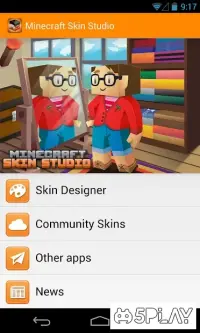
This customization is made incredibly easy with dedicated tools designed specifically for the Android platform, allowing you to carry your creative studio in your pocket. The Skin Creator for Minecraft APK serves as a powerful, multifunctional editor tailored for mobile users. It features a compact and intuitive interface that is easy to navigate, even for beginners.
The design includes large, responsive buttons and a clear menu structure, ensuring a smooth editing experience on various screen sizes. This user-friendly approach means you can focus entirely on your artistic vision without struggling with complex controls or confusing settings. With this application, you have the freedom to create skins from scratch or modify existing ones.
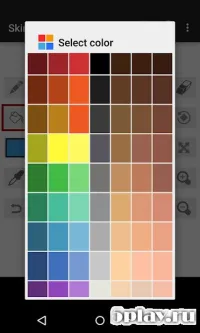
You can adjust every detail, from the color of your character's shirt to the shape of their eyes and hair. The tool provides a vast array of options to help you refine your design.
How to install the app
- Check the version, Android compatibility, developer and source in the app details block.
- Open the Downloads tab and use the official source or an available catalog link.
- Before installing, review app permissions and use only sources you trust.
Frequently asked questions
Can I create skins from scratch using this app?
Yes, the Skin Creator for Minecraft allows you to design unique skins from scratch. You can customize every pixel of your character's appearance using the intuitive editor tools provided on the Android platform.
Is this app suitable for beginners?
Absolutely. The interface is designed to be compact and user-friendly. It features large buttons and a simple menu structure, making it easy for new users to start creating or editing skins without prior experience.
Can I use existing skins if I don't want to create my own?
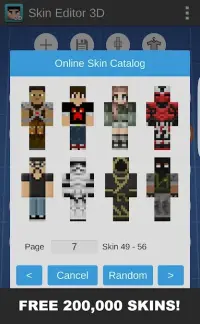
Yes, the app provides access to a large library of existing skins. You can browse through thousands of options and apply them to your character instantly, saving time if you prefer a pre-made design over custom creation.
Similar apps



No comments yet. Be the first!