
Smart PDF: Scanner & Toolkit
Open in Google PlaySpaceAPK does not provide APK files. A listed Google Play link is a reference: check the store for availability, version, price and paid features. The catalog version is not offered as a downloadable file.
App details
- Recorded version
- 1.0.0
- Updated
- 21.09.2026
- Category
- Tools
- Compatibility
- Android
- Package name
com.sripra.smartpdftool- Source
- Google Play reference
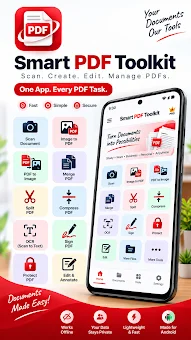
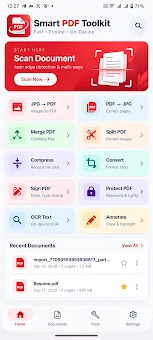
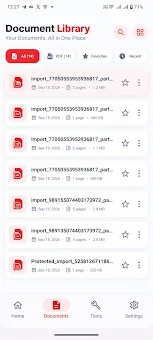
Smart PDF: Scanner & Toolkit is a comprehensive Android application designed to streamline your document management workflow. It serves as a universal tool that combines the functions of a scanner, editor, and manager into a single, easy-to-use interface. This app allows you to convert physical paper documents into digital PDF files effortlessly, edit them, merge multiple files, split pages, and compress documents without leaving the application.
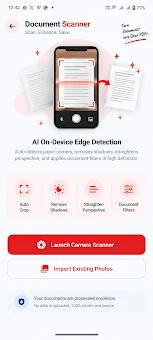
It is built for users who value simplicity, reliability, and privacy when working with text files and digital documents. The core capabilities of the app cover a full spectrum of document tasks. You can scan paper sheets using your phone's camera, adjust image borders, and enhance photo quality to obtain clear, high-resolution PDF files.
The application enables you to create PDFs from photographs, merge several files into one document, or separate individual pages to create new documents. For those looking to save storage space, a built-in compression tool reduces file size without losing text readability, ensuring your documents remain crisp and professional. Security and convenience are prioritized in this toolkit.
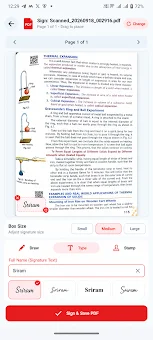
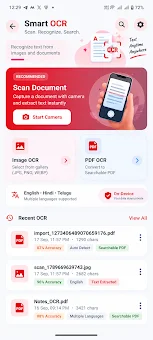
You can add an electronic signature to documents, protect files with passwords for encryption, and insert annotations such as text highlights, images, or notes. The Optical Character Recognition (OCR) feature allows you to extract text from scanned images, processing data directly on the device.
Availability and source
- Check the version, Android compatibility, developer and source in the app details block.
- Open the official app page on Google Play if a link is available.
- Before installing, review app permissions and use only sources you trust.
Frequently asked questions
Does Smart PDF: Scanner & Toolkit process data on the device?
Yes, the main file processing occurs locally on your Android device, ensuring your data remains private until you choose to share it.
Can I extract text from images using this app?
Yes, the app includes an Optical Character Recognition (OCR) feature that allows you to extract text from scanned images directly on the device.
Is it possible to add electronic signatures to documents?
Yes, you can add an electronic signature to your documents, protect them with passwords, and insert annotations like highlights or notes.
How does the app handle file compression?
The app features a compression tool that reduces file size without losing text readability, helping you save storage space on your Android device.
Similar apps


No comments yet. Be the first!