

Smart TV Guide
DownloadApp details
- Version
- 1.8.18
- Updated
- 04.10.2026
- Category
- AI
- Compatibility
- Android 12+
- Package name
cz.atomsoft.android.tvprogram- Developer
- goNET s.r.o.
- Source
- Official Google Play page
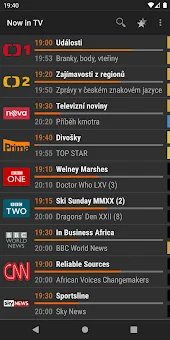
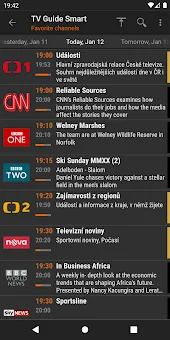
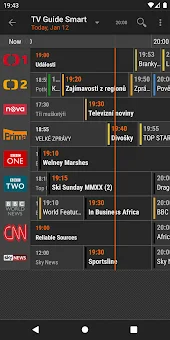
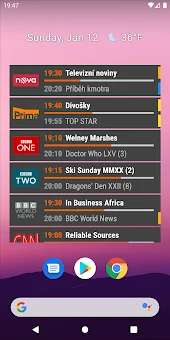
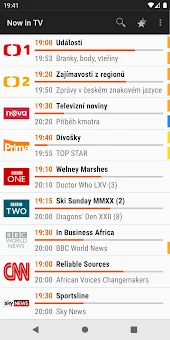
Smart TV Guide is a practical and user-friendly Android application designed to help you navigate television programming with ease. The app features a clean interface that supports both grid and list views, allowing you to browse through thousands of TV channels across different regions. Whether you are looking for a specific show or exploring the schedule for the upcoming week, the intuitive design makes finding content straightforward and efficient.
One of the standout features is the extensive archive of TV programs. You can access schedules for up to 14 days into the future and look back up to 30 days in the past. This is incredibly useful for planning your viewing habits or catching up on shows you might have missed.
The app also includes a favorites list, which saves your preferred channels for quick access and even supports an automatic offline mode, ensuring you can check schedules without an active internet connection. The application is completely free and contains no advertisements, providing an uninterrupted experience. It supports a dark theme, which is easier on the eyes during evening viewing, and also offers a white theme option.
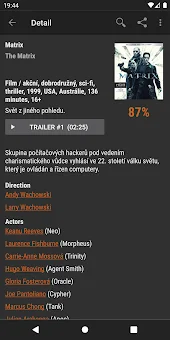
Additional features include video trailers and pictures for various programs, notifications for specific TV shows or series, and a rating system for movies.
How to install the app
- Check the version, Android compatibility, developer and source in the app details block.
- Open the Downloads tab and use the official source or an available catalog link.
- Before installing, review app permissions and use only sources you trust.
Frequently asked questions
Is Smart TV Guide free to use?
Yes, the application is completely free to download and use on Android devices. It does not contain any advertisements, ensuring a clean and uninterrupted user experience while browsing TV schedules and channel listings.
Does the app support offline viewing?
Yes, Smart TV Guide includes an automatic offline mode for your favorite channels. This allows you to check the TV program schedule even when you do not have an active internet connection, which is useful for travel or areas with poor signal.
What Android versions are supported?
The latest version of Smart TV Guide officially supports Android 5.0 and higher. For older devices running Android 4.3, a legacy version is still available. The older version supporting even older Android versions was removed from the Play Store due to new Google policy requirements.
How far ahead can I see the TV schedule?
You can view the TV program schedule for up to 14 days into the future. Additionally, you can look back up to 30 days to see what has already aired. This feature helps you plan your viewing ahead of time or catch up on missed episodes.
Similar apps






No comments yet. Be the first!