

Snapchat
Open in Google PlayApp details
- Version
- 14.26.0.34 Beta (317472)
- Updated
- 16.11.2021
- Package name
com.snapchat.android- Developer
- Snap Inc
- Source
- Official Google Play page
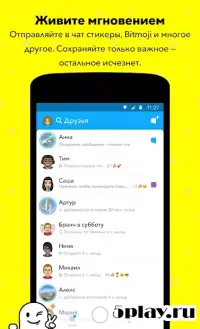
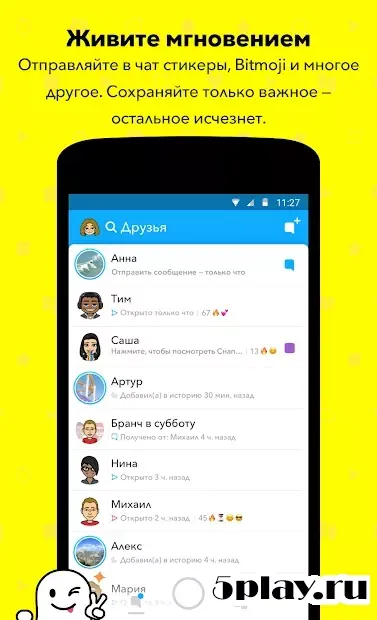
Snapchat stands out as a versatile and engaging messaging platform that seamlessly blends communication with creative tools. It is designed for users who want to share moments in a fun, ephemeral way. The app allows you to send photos and videos that disappear after being viewed, making every interaction feel fresh and personal.
You can connect with friends, family, and communities through a variety of interactive features that keep conversations lively and dynamic. One of the key strengths of Snapchat is its powerful photo and video editor. Users can enhance their media with a wide range of filters, lenses, and augmented reality effects.
You can add virtual ears, funny masks, or creative overlays to your selfies and videos. These tools make it easy to express your personality and add a unique touch to every snap you send. The editing process is intuitive, allowing you to create professional-looking content with just a few taps.
Snapchat also supports rich multimedia sharing beyond just images. You can exchange stickers, GIFs, and voice notes to add more context and emotion to your messages. The app encourages creativity by letting you draw directly on photos or add text overlays with customizable fonts and colors.
These features make it a favorite among younger audiences and creative professionals who want to communicate in a visually engaging way.
How to install the app
- Check the version, Android compatibility, developer and source in the app details block.
- Open the official app page on Google Play if a link is available.
- Before installing, review app permissions and use only sources you trust.
Frequently asked questions
Is Snapchat free to download on Android?
Yes, Snapchat is completely free to download and use on Android devices. You can access all core messaging and filtering features without any initial cost.
What makes Snapchat different from other messengers?
Snapchat focuses on ephemeral content that disappears after viewing. It also offers advanced augmented reality lenses and creative editing tools for photos and videos.
Can I use Snapchat filters offline?
Most basic filters require an internet connection to load. However, some saved media and pre-loaded lenses can be accessed with limited connectivity depending on your device.
Does Snapchat support video calls?
Yes, Snapchat allows you to make video calls with friends. You can also send video messages that disappear after being viewed, adding a dynamic layer to your chats.
Similar apps
No comments yet. Be the first!