
Sudoku - Classic Number Puzzle
DownloadApp details
- Version
- 1.0.1
- Updated
- 06.10.2026
- Category
- Puzzles and Quests
- Compatibility
- Android
- Package name
com.github.xiaofeidev.puzzle.sudoku- Developer
- xiaofeidev
- Source
- Official Google Play page
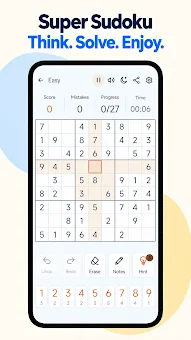
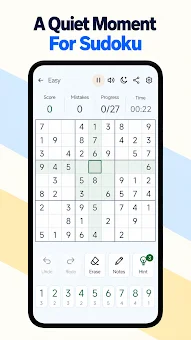
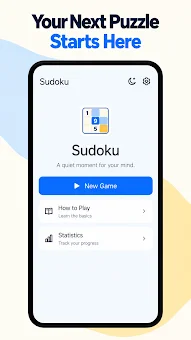
Dive into the world of logical deduction with Sudoku - Classic Number Puzzle, a meticulously crafted Android game designed for both newcomers and seasoned solvers. This app transforms the traditional 9x9 grid into an engaging learning experience, guiding you through the rules with an interactive tutorial that explains the reasoning behind every move. Whether you are looking to sharpen your mind during a commute or enjoy a quiet evening at home, this offline-capable puzzle ensures you can play anywhere without needing an internet connection.
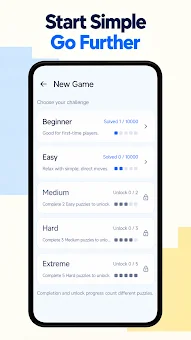
The game automatically saves your progress, allowing you to pause and resume your solving journey seamlessly. Master the art of Sudoku with step-by-step hints that highlight candidates and explain the logic behind each deduction. As you progress through five distinct difficulty levels—ranging from Beginner to Extreme—you will encounter advanced techniques such as singles, pairs, and X-Wing patterns.
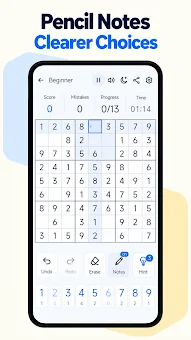
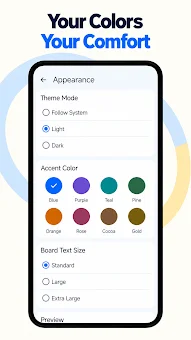
The interface supports pencil notes, automatic clearing of related notes, and undo/redo functions, giving you the tools to experiment with strategies without fear of making irreversible mistakes. Wrong entries do not end the game, encouraging a relaxed approach where you can correct errors and try different approaches at your own pace. Customize your playing environment to suit your preferences with light or dark modes, adjustable accent colors, and scalable board numbers.
How to install the app
- Check the version, Android compatibility, developer and source in the app details block.
- Open the Downloads tab and use the official source or an available catalog link.
- Before installing, review app permissions and use only sources you trust.
Frequently asked questions
Is the Sudoku game available for offline play?
Yes, the core game runs entirely on your device, allowing you to solve puzzles without an internet connection during commutes or travel.
What difficulty levels are included in the app?
The app features five difficulty levels: Beginner, Easy, Medium, Hard, and Extreme, each offering increasingly complex logical challenges.
Does the app provide hints for beginners?
Yes, an interactive tutorial and step-by-step hints explain the reasoning behind deductions, helping users learn the rules and techniques effectively.
Can I customize the visual appearance of the board?
You can choose between light and dark modes, adjust accent colors, and select standard, large, or extra-large board numbers for better visibility.
Similar apps


No comments yet. Be the first!