
Timeline Visualizer Workflow
DownloadApp details
- Updated
- 15.10.2026
- Category
- Tools
- Compatibility
- Android
- Package name
com.seltra.apptimeline- Source
- Official Google Play page
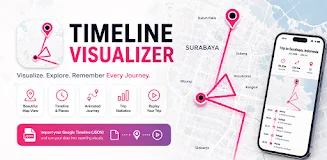
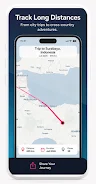
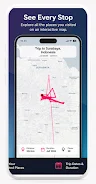
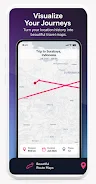
Timeline Visualizer Workflow is a unique application that enables you to transform your exported JSON file from Google Timeline into animated travel videos and map overviews. With this tool, you can visualize your past trips, routes, and locations on an interactive map. One of the key features is the ability to import JSON files directly onto your Android device, allowing for seamless integration.
You can create MP4 animation videos that showcase your travel paths for selected dates, making it easy to relive your journeys. The app offers flexible date and period options, letting you choose specific years, months, or custom date ranges. This level of customization ensures that your travel videos reflect exactly what you want to remember.
Customization options are extensive, as you can adjust video aspect ratios, frame rates, resolutions, camera zoom styles, and playback speeds. Your location history file is processed 100% privately and offline, ensuring that no location data is uploaded to external servers, which gives users peace of mind. Once your videos are created, you can easily save and share them, exporting the finished travel videos and route overview images to your device's gallery for sharing with friends.
This app is not just a tool; it’s a way to preserve your travel memories in an engaging format. Whether you are a tourist or an avid traveler, Timeline Visualizer Workflow makes it easy to create captivating videos that depict your journeys, making the process enjoyable and straightforward.
How to install the app
- Check the version, Android compatibility, developer and source in the app details block.
- Open the Downloads tab and use the official source or an available catalog link.
- Before installing, review app permissions and use only sources you trust.
Frequently asked questions
How do I import my Google Timeline JSON file?
You can easily import your JSON file directly from your Android device using the app.
Is my location data safe with this app?
Yes, all processing is done offline, ensuring your data remains private.
What formats can I export my videos in?
You can export your travel videos in MP4 format for easy sharing.
Can I customize the video settings?
Absolutely! You can adjust aspect ratios, frame rates, and more.
Similar apps








No comments yet. Be the first!