
Tiny Scanner Pro: PDF Doc Scan 4.2.5
DownloadApp details
- Updated
- 16.06.2025
- Category
- Miscellaneous
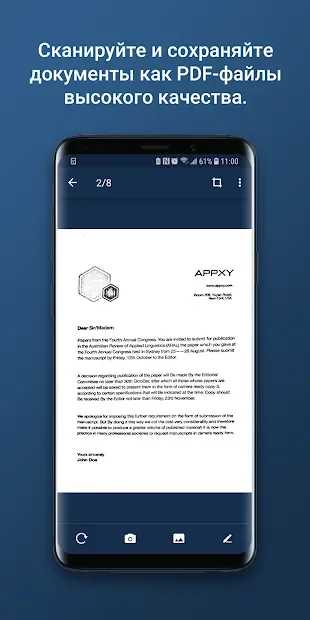
Tiny Scanner Pro: PDF Doc Scan is a powerful application designed to transform your smartphone into a portable document scanner. By utilizing your device's camera, this app allows you to capture high-quality images of receipts, invoices, business cards, and other important papers anywhere and anytime. It is an essential tool for professionals, students, and anyone who needs to digitize physical documents quickly and efficiently without carrying a bulky scanner.
The app offers versatile scanning modes to suit your specific needs. You can choose between color and black-and-white scanning options, ensuring that the output matches your preference or the requirements of the document. The interface is intuitive, making it easy to align your document, capture the image, and adjust the perspective automatically.
This flexibility ensures that you get clear, readable scans every time, whether you are in a bright office or a dimly lit room. Once you have captured your document, Tiny Scanner Pro converts the images directly into PDF format. This feature is incredibly useful for archiving, sharing, or printing documents digitally.
The resulting PDF files are optimized for clarity and file size, making them easy to send via email or upload to cloud storage services.
How to install the app
- Check the version, Android compatibility, developer and source in the app details block.
- Open the Downloads tab and use the official source or an available catalog link.
- Before installing, review app permissions and use only sources you trust.
Frequently asked questions
Does Tiny Scanner Pro work offline?
Yes, the app allows you to scan documents and convert them to PDF without an internet connection, making it usable anywhere.
Can I scan in black and white?
Yes, the app supports both color and black-and-white scanning modes to suit your document needs.
What formats are supported for output?
The primary output format is PDF, which is ideal for sharing and archiving documents digitally.
Is it suitable for business receipts?
Absolutely, it is designed to efficiently capture and digitize receipts, invoices, and other important business papers.
Similar apps


No comments yet. Be the first!