
TurboSpeed: Game Mode FPS
DownloadApp details
- Version
- 1.48
- Updated
- 12.10.2026
- Category
- Tools
- Compatibility
- Android 8.0+
- Package name
com.turbo.fps.gamemode.gamebooster.speed.booster- Developer
- STVN
- Source
- Official Google Play page
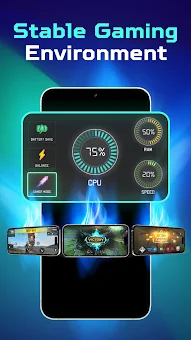
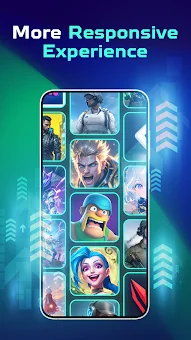
TurboSpeed: Game Mode FPS is a dedicated utility tool designed to enhance your mobile gaming experience on Android devices. Whether you are engaging in fast-paced First-Person Shooter (FPS) matches, competitive MOBA battles, or immersive RPG adventures, this app helps create better conditions for smoother gameplay. By intelligently adjusting device settings, it minimizes interruptions and optimizes performance for supported devices, allowing you to stay focused on the action without distraction.
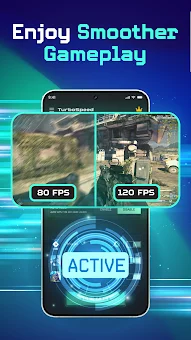
The application offers a suite of practical features tailored for gamers. The FPS Stability Assist helps maintain consistent frame rates where possible, while Display Control allows you to easily toggle screen settings to save battery or take a quick break. You can also fine-tune brightness for optimal visibility during both day and night sessions.
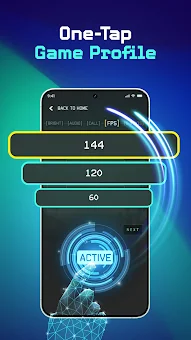
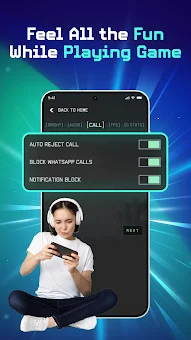
The Distraction Blocker uses Android's Do Not Disturb mode to mute notifications and ringtone sounds during your gaming session, ensuring you are not interrupted by incoming alerts, though it does not block or auto-reject calls. Setting up TurboSpeed is simple and intuitive. You can select your game from the hub, adjust screen brightness, and activate distraction blocking with ease.
Before launching, check the System Stats to view key device information and ensure your setup is optimized.
How to install the app
- Check the version, Android compatibility, developer and source in the app details block.
- Open the Downloads tab and use the official source or an available catalog link.
- Before installing, review app permissions and use only sources you trust.
Frequently asked questions
Does TurboSpeed: Game Mode FPS modify game files?
No, TurboSpeed does not modify game files or your network connection. It works by adjusting system-level settings like brightness and notifications to improve the gaming environment without altering the actual game data.
What permissions does the app require?
The app requires Write Settings to adjust brightness, Notification Policy Access to mute sounds, Internet for updates, and optional Post Notifications for status reminders. These permissions ensure the tool functions correctly on your Android device.
Is this app affiliated with game developers?
TurboSpeed is an unofficial utility tool and is not affiliated with any specific game developers or publishers. Performance improvements depend on your device and may vary, as the app optimizes general system conditions rather than specific game code.
How does the Distraction Blocker work?
The Distraction Blocker enables Do Not Disturb mode to mute notification and ringtone sounds during your session. It does not block or auto-reject calls, allowing you to stay focused while still being reachable for important calls if necessary.
Similar apps




No comments yet. Be the first!