

Ultimate USB
Open in Google PlayApp details
- Version
- 12.2.0
- Updated
- 04.11.2026
- Category
- Tools
- Compatibility
- Android 12+
- Package name
com.mixapplications.ultimateusb- Developer
- MixApplications
- Source
- Official Google Play page
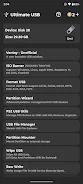
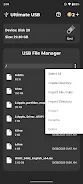
Transform your Android smartphone into a powerful utility for managing USB flash drives and creating bootable media with the Ultimate USB application. This versatile tool allows you to handle disk operations, create partitions, and organize gaming libraries directly from your mobile device. It serves as an essential companion for users who need to prepare USB drives for various operating systems or gaming consoles without requiring a full-sized computer.
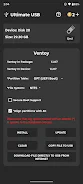
The app is designed to be user-friendly while offering professional-grade features for disk management and data transfer. A key feature of Ultimate USB is its ability to create multiboot USB drives using Ventoy. You can easily store Windows 7 through 11 and various Linux distributions on a single flash drive.
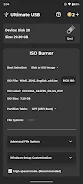
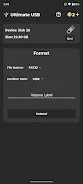
The application supports common file systems such as NTFS, FAT32, and EXFAT, ensuring compatibility with most modern devices. Additionally, it includes tools for writing ISO images, including support for Windows 11, Raspberry Pi, and Apple DMG formats. Users can also split .WIM files to ensure compatibility with FAT32 limits, making it easier to store large installation files on standard USB sticks.
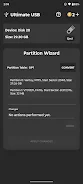
For advanced users, the app provides precise raw image writing capabilities, allowing for byte-by-byte copying of disk images. The disk management section offers quick formatting options across different standards, along with GPT/MBR partition masters.
How to install the app
- Check the version, Android compatibility, developer and source in the app details block.
- Open the official app page on Google Play if a link is available.
- Before installing, review app permissions and use only sources you trust.
Frequently asked questions
Does Ultimate USB require root access to function?
Most functions operate without root access. However, accessing the internal SD card slot may require root permissions to work correctly.
Can I create multiboot USB drives with this app?
Yes, the app supports Ventoy, allowing you to store Windows 7-11 and various Linux distributions on a single USB flash drive.
What gaming formats are supported for conversion?
The app supports conversion between ISO, ZSO, CSO, and BIN/CUE formats, specifically for PlayStation 2 and PlayStation 3 game management.
Does the app support portable SSDs?
Yes, Ultimate USB supports flash drives and portable SSDs via OTG adapters, though hard drives may not be supported due to power limits.
Similar apps


No comments yet. Be the first!