

Ume Browser - Fast & Private
Open in Google PlayApp details
- Version
- 6.0.31
- Updated
- 04.11.2026
- Category
- Tools
- Compatibility
- Android 5.0+
- Package name
com.ume.browser.cust- Developer
- Ume Tech
- Source
- Official Google Play page
Ume Browser is a high-performance web browser designed specifically for Android devices, combining speed with strong privacy features to enhance your mobile internet experience. This application is ideal for users who want a clean, distraction-free browsing environment without sacrificing functionality. It offers a modern interface that is both intuitive and efficient, allowing you to navigate the web smoothly on any Android smartphone or tablet.
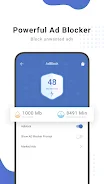
The browser is built to handle heavy traffic loads while maintaining a lightweight footprint on your device's resources. One of the standout features of Ume Browser is its built-in Ad Blocker, which automatically filters out intrusive advertisements as you visit websites. This not only makes web pages cleaner and easier to read but also significantly reduces mobile data usage and battery consumption.
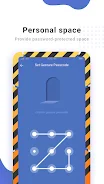
By blocking unwanted content, the browser helps you save on your data plan and ensures that pages load faster because less data needs to be downloaded. This efficiency is crucial for users who rely on mobile data for their daily internet activities. Privacy is a core pillar of Ume Browser, offering a dedicated Incognito Mode that allows you to browse without saving your history or cache.
This feature ensures that your personal data remains secure and hidden from other users of the same device. Additionally, the browser includes a No Image Mode, which lets you disable images entirely or only when not connected to Wi-Fi.
How to install the app
- Check the version, Android compatibility, developer and source in the app details block.
- Open the official app page on Google Play if a link is available.
- Before installing, review app permissions and use only sources you trust.
Frequently asked questions
Does Ume Browser save my browsing history?
Ume Browser offers an Incognito Mode that allows you to browse without saving your history or cache, ensuring your personal data remains private and secure from other users.
How does the ad blocker help with data usage?
The built-in ad blocker automatically filters out advertisements, which reduces the amount of data downloaded and speeds up page loading times while saving your mobile data plan.
Can I download videos directly from the browser?
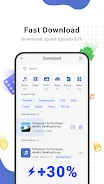
Yes, Ume Browser includes a Video Download tool that supports various formats, allowing you to save videos from popular sites for offline viewing and entertainment on the go.
Is there a feature to save data when not on Wi-Fi?
The No Image Mode allows you to disable images entirely or only when not connected to Wi-Fi, which significantly reduces data consumption and improves browsing speed on mobile networks.
Similar apps









No comments yet. Be the first!