
VideoShow: video redaktor
Open in Google PlaySpaceAPK does not provide APK files. A listed Google Play link is a reference: check the store for availability, version, price and paid features. The catalog version is not offered as a downloadable file.
App details
- Recorded version
- 9.0.0
- Updated
- 27.11.2021
- Category
- Arcade
- Compatibility
- Android 4.0.3
- Package name
com.xvideostudio.videoeditor- Source
- Google Play reference
VideoShow: video redaktor is a powerful and intuitive video editor designed for Android users who want to create stunning mobile videos without needing a computer. This APK application allows you to produce high-quality video clips directly on your mobile device, making it perfect for social media content creators, vloggers, and casual users alike. With its user-friendly interface, you can easily transform simple photos and GIFs into engaging video stories.
The app offers a rich set of tools for video customization. You can combine photos, GIFs, and various sound effects or music tracks to create a unique audio-visual experience. Add text overlays, stickers, filters, and visual transitions to enhance your content.
These features allow you to personalize your videos and make them stand out in a crowded digital landscape. The ability to adjust timing and effects ensures that every frame looks professional and polished. Editing your video clips is straightforward and efficient.
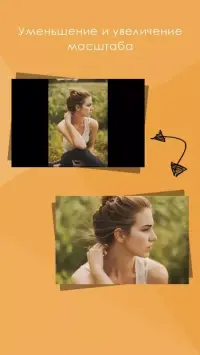
You can trim, rotate, duplicate, and merge video segments using specialized functions. This flexibility enables you to refine your footage precisely, removing unwanted parts or combining multiple clips into a seamless narrative. The app supports various aspect ratios, ensuring your videos look great on any screen, whether for Instagram, TikTok, or YouTube.
Once you have finished editing, you can save your masterpiece and share it directly to social networks.
Availability and source
- Check the version, Android compatibility, developer and source in the app details block.
- Open the official app page on Google Play if a link is available.
- Before installing, review app permissions and use only sources you trust.
Frequently asked questions
What is VideoShow: video redaktor?
It is a comprehensive mobile video editor for Android that allows users to create high-quality video clips using photos, GIFs, music, and various visual effects directly on their device.
Can I add music and text to my videos?
Yes, the app supports adding background music, sound effects, and customizable text overlays to your video projects, allowing for full creative control over the final output.
How do I share my edited videos?
After editing, you can save your video to your device and share it directly to popular social networks, making it easy to showcase your content to friends and followers.
Is the app suitable for beginners?
Absolutely, the interface is intuitive and designed for users of all skill levels, providing easy-to-use tools for trimming, merging, and applying effects without a steep learning curve.
Similar apps

No comments yet. Be the first!