
Vidzet Kalendar
Open in Google PlayApp details
- Version
- 1.24.1
- Updated
- 24.09.2021
- Category
- Arcade
- Compatibility
- Android 2.2
- Package name
com.itbenefit.android.calendar.key- Source
- Official Google Play page
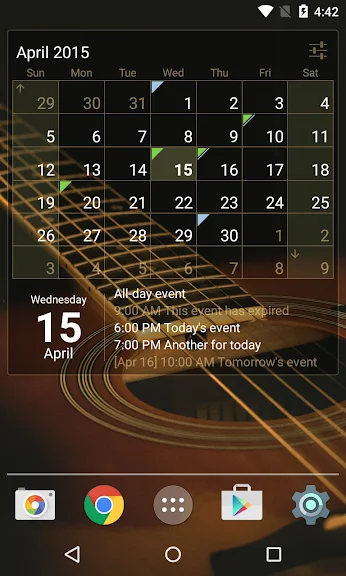
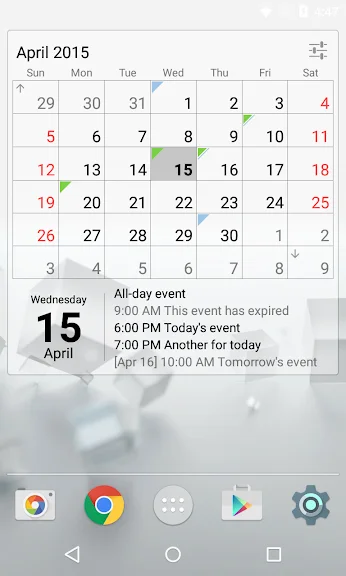
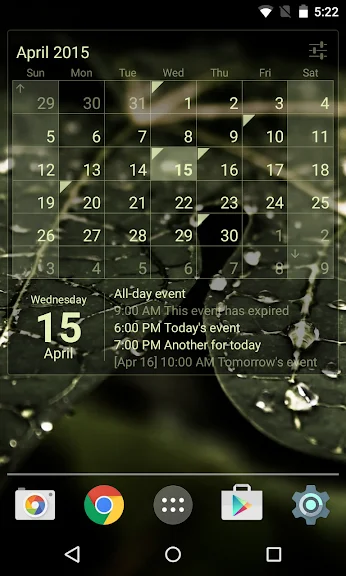
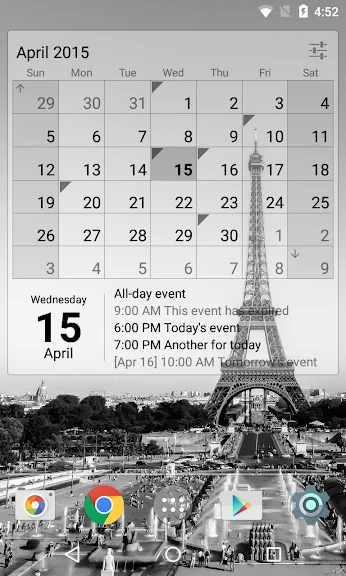
Vidzet Kalendar is one of the most useful widgets available for Android devices, designed to bring the power of Google Calendar directly to your home screen. This application allows you to manage your schedule efficiently without needing to open a separate app, providing a clean and organized interface that integrates seamlessly with your existing Android setup. The widget serves as a central hub for your daily, weekly, and monthly events, ensuring you never miss an important appointment or meeting.
Setting up the widget is straightforward and follows standard Android procedures. You can add it to your home screen by long-pressing on the main screen and selecting the widget option from the menu. Once added, the widget offers a detailed manual accessible by tapping the menu icon, which guides you through the initial configuration.
The default size occupies a 4x4 grid, taking up a significant portion of the screen for maximum visibility, but you can resize it to 3x3 using the Android system tools if you prefer a more compact layout. Interacting with the widget is intuitive and responsive. A long press on the widget activates resize handles, allowing you to drag the corners to adjust the size according to your preference.
The widget features simple synchronization with active calendars on your device, ensuring that all your events are up to date. Days with scheduled events are marked with a distinct color indicator, making it easy to spot busy days at a glance.
How to install the app
- Check the version, Android compatibility, developer and source in the app details block.
- Open the official app page on Google Play if a link is available.
- Before installing, review app permissions and use only sources you trust.
Frequently asked questions
How do I add Vidzet Kalendar to my home screen?
To add the widget, long-press on your Android home screen, select the Widgets option from the menu, and drag the Vidzet Kalendar widget onto your desired location.
Can I resize the Vidzet Kalendar widget?
Yes, you can resize the widget. Long-press on the widget to activate the resize handles, then drag the corners to adjust the size to fit your preferred layout on the home screen.
Does Vidzet Kalendar sync with Google Calendar?
Yes, the widget supports synchronization with active calendars on your device, including Google Calendar. You can configure account settings within the widget menu to ensure your events are always up to date.
How do I customize the appearance of the widget?
Access the settings menu by tapping the icon in the top-right corner of the widget. From there, you can choose the calendar view, customize colors, and set weekend days or holidays for personalized display options.
Similar apps









No comments yet. Be the first!