

@Voice: Text to Speech Reader
DownloadApp details
- Version
- 40.3.9
- Updated
- 15.10.2026
- Category
- Reading and news
- Compatibility
- Android 8.0+
- Package name
com.hyperionics.avar- Source
- Official Google Play page
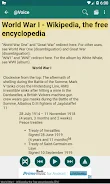
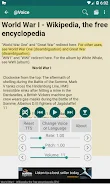
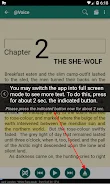
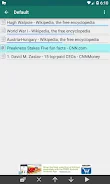
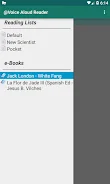
@Voice: Text to Speech Reader is a unique application that converts text into audio, allowing you to listen to PDF files, eBooks, web pages, documents, and pasted text in multiple languages. Whether you are on the go, exercising, cooking, or simply relaxing, @Voice enables you to learn and read hands-free. This app supports various formats, including PDF, EPUB, AZW3, Word documents, HTML files, and plain text.
The built-in reader cleans web pages of ads, letting you focus on the content of the article. Additionally, @Voice provides language translation and learning features, supporting Google Translate to help you translate articles and listen to them in your target language using a bilingual mode. You can assign different voices to narrators and characters, making books sound like audiobooks.
This feature enhances your listening experience and makes learning more engaging. Another useful feature is the ability to record text into audio files, allowing you to save what @Voice reads in formats like MP3, OGG, or WAV. This is particularly beneficial for students and professionals who need to revisit material without re-reading.
The app also emphasizes accessibility, including OpenDyslexic font, high-contrast themes, and TalkBack support. In summary, @Voice is an essential tool for reading, language learning, and text listening, combining many useful features into one application. With @Voice, you can enjoy reading and learning in a format that suits you, all without the need for creating an account or subscribing to paid services.
How to install the app
- Check the version, Android compatibility, developer and source in the app details block.
- Open the Downloads tab and use the official source or an available catalog link.
- Before installing, review app permissions and use only sources you trust.
Frequently asked questions
What formats can @Voice read?
It can read PDF, EPUB, AZW3, Word documents, HTML files, and plain text.
Does @Voice support translation?
Yes, it supports Google Translate for translating articles into target languages.
Can I record audio files with @Voice?
Yes, you can save readings in MP3, OGG, or WAV formats.
Is @Voice accessible for users with disabilities?
Yes, it includes OpenDyslexic font, high-contrast themes, and TalkBack support.
Similar apps






No comments yet. Be the first!