
WordBrain
DownloadApp details
- Version
- 1.32.3
- Updated
- 17.10.2026
- Category
- Arcade
- Compatibility
- Android 2.3
- Package name
se.maginteractive.wordbrain- Source
- Official Google Play page
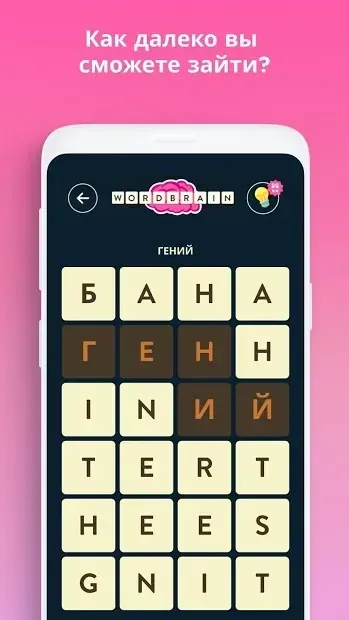
WordBrain offers a refreshing take on the classic word puzzle genre, inviting players to construct words from a grid of scattered letters. The gameplay is straightforward yet deeply engaging, requiring you to connect letters in any direction to form valid words. This flexibility allows for creative strategies as you hunt for hidden vocabulary within the chaotic letter grid.
The objective is simple: identify and select the correct words to clear the board and advance to the next level. As you progress through the game, the challenge scales appropriately. Early levels introduce a smaller grid containing only four letters, providing a gentle learning curve for newcomers.
However, the board gradually expands up to an 8x8 grid, demanding greater focus and a wider vocabulary. This progression ensures that both casual players and seasoned word game enthusiasts remain engaged and motivated to improve their skills. One of the standout features is the ability to customize the gaming experience.
Players can independently adjust the difficulty settings to suit their preferences. Additionally, an integrated editor allows you to create your own custom levels, adding a layer of personalization and replayability. This feature transforms the app from a simple puzzle game into a versatile tool for word lovers who enjoy both solving and creating challenges.
The game imposes no time limits, allowing you to take your time to analyze the grid without pressure.
How to install the app
- Check the version, Android compatibility, developer and source in the app details block.
- Open the Downloads tab and use the official source or an available catalog link.
- Before installing, review app permissions and use only sources you trust.
Frequently asked questions
What is the main objective in WordBrain?
The main objective is to connect letters on the grid to form valid words. You can select letters in any direction to create words that clear the board and allow you to advance to the next level of the puzzle.
Does WordBrain have time limits for levels?
No, WordBrain does not have time limits. You can take as much time as you need to analyze the grid and find the correct words without any pressure, making it a relaxing and stress-free puzzle experience.
Can I create my own levels in WordBrain?
Yes, WordBrain includes a built-in editor that allows you to create your own custom levels. This feature lets you design puzzles for yourself or share them with friends, adding significant replay value to the game.
How does the grid size change in the game?
The game starts with small grids containing only four letters to help you learn the mechanics. As you progress through the stages, the grid expands up to an 8x8 layout, increasing the difficulty and requiring a larger vocabulary to solve the puzzles.


No comments yet. Be the first!