

Zoho Invoice - Invoice Maker
Open in Google PlayApp details
- Version
- 6.4.28
- Updated
- 30.08.2026
- Category
- Miscellaneous
- Compatibility
- Android 8.0+
- Package name
com.zoho.invoice- Source
- Official Google Play page
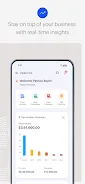
Zoho Invoice is a powerful online invoicing software designed to streamline the billing process for small businesses and freelancers. This Android app provides all the essential tools needed to manage finances efficiently, from creating estimates to sending invoices and receiving payments. By simplifying administrative tasks, it allows you to focus on growing your business rather than getting bogged down in paperwork.
The application is optimized for mobile use, ensuring that you can manage your accounts on the go. One of the standout features is the ability to create professional invoices with just a single click. You can easily add client information, apply taxes, and send invoices via email or PDF format instantly.
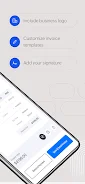
The app offers universal templates that allow you to customize invoices to match your brand style. You can add your organization's logo and signature, adjust font sizes, and ensure that every document looks polished and professional, enhancing your credibility with clients. Effective expense management is another key benefit.
You can record all business expenses, categorize them for better understanding, and keep receipts for future reference. The app also supports project management, allowing you to track time spent on various tasks and bill clients accordingly.
How to install the app
- Check the version, Android compatibility, developer and source in the app details block.
- Open the official app page on Google Play if a link is available.
- Before installing, review app permissions and use only sources you trust.
Frequently asked questions
Is Zoho Invoice free to use on Android?
Yes, Zoho Invoice offers a free plan suitable for small businesses and freelancers to send invoices and manage expenses.
Can I customize invoice templates in the app?
Yes, you can customize templates by adding your logo, signature, and adjusting fonts to match your brand identity.
Does the app support multiple payment methods?
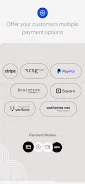
Yes, it supports various payment options including credit cards, debit cards, and secure ACH transfers for faster payments.
Can I track time and bill clients directly?
Yes, the app includes time tracking features that allow you to bill clients based on the time spent on projects.
Similar apps










No comments yet. Be the first!