
Large File Cleanup
DownloadApp details
- Version
- 1.0
- Updated
- 10.09.2026
- Category
- Tools
- Compatibility
- Android
- Package name
large.file.cleanup- Source
- Official Google Play page
Large File Cleanup is a practical Android application designed to help users efficiently find and review large files stored on their device. It simplifies the process of identifying items that consume significant storage space, allowing you to manage your digital environment with greater clarity and precision. By highlighting the heaviest files, this tool empowers you to make informed decisions about what to keep and what to delete, ensuring your device remains optimized for performance.
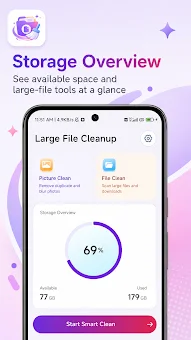
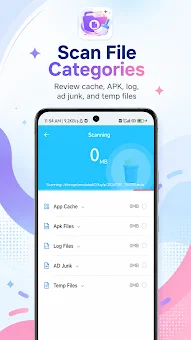
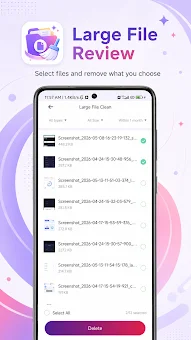
With a simple interface and easy-to-use tools, the app provides a convenient way to check storage usage and keep file management more organized in everyday use. You can quickly scan your internal storage and SD card to locate bulky documents, videos, and media files that are taking up valuable room. This straightforward approach makes it accessible for users of all technical levels to maintain a tidy and efficient storage system without needing advanced knowledge.
Managing storage has never been easier with this dedicated APK. The application focuses on delivering clear insights into where your data is stored, helping you reclaim space instantly. Whether you are dealing with old backups, unused media, or large downloads, Large File Cleanup offers a streamlined experience to review and remove unnecessary files.
How to install the app
- Check the version, Android compatibility, developer and source in the app details block.
- Open the Downloads tab and use the official source or an available catalog link.
- Before installing, review app permissions and use only sources you trust.
Frequently asked questions
What is Large File Cleanup?
It is an Android app designed to help users find, review, and delete large files to manage storage effectively.
Does it work on all Android devices?
Yes, it is compatible with most Android devices and can scan both internal storage and SD cards.
How does it help with storage?
It identifies files that take up the most space, allowing you to remove unnecessary data and free up room.
Is the interface easy to use?
Yes, the app features a simple interface with easy-to-use tools for checking storage usage and organizing files.






No comments yet. Be the first!