

Lockscreen Korean Vocabulary
DownloadApp details
- Version
- 1.3.6
- Updated
- 30.09.2026
- Category
- Educational
- Compatibility
- Android 6.0+
- Package name
com.wafour.wakorvoca- Developer
- Wafour Edu
- Source
- Official Google Play page
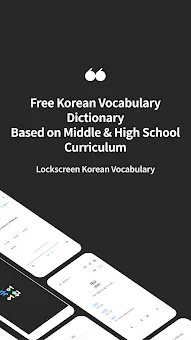
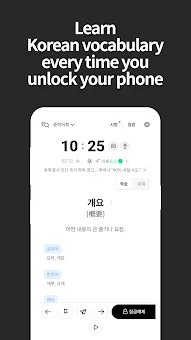
Unlock the secrets of the Korean language with Lockscreen Korean Vocabulary, a dedicated Android application designed to streamline your learning journey. This tool transforms your daily routine by allowing you to master new vocabulary directly from your device's lock screen. By integrating education into moments when you would otherwise be idle, such as waiting for a bus or checking notifications, the app ensures that every second counts towards linguistic proficiency.
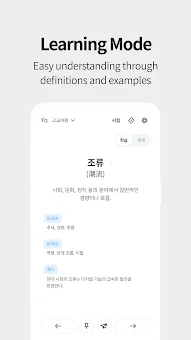
It is an ideal solution for students preparing for exams or casual learners who wish to expand their lexical resources without the need for a separate study session. The application offers a structured approach to language acquisition, featuring distinct learning modes tailored to different proficiency levels. The learning mode helps users understand word meanings through clear definitions and contextual examples, ensuring that you grasp not just the translation but the proper usage.
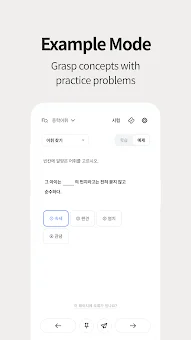
Meanwhile, the examples mode demonstrates how to utilize vocabulary in real sentences, promoting a deeper, more practical understanding of the language. This dual approach helps bridge the gap between theoretical knowledge and active communication, making it easier to express thoughts accurately. To reinforce your knowledge, the app includes a robust testing system with various question types.
You can choose difficulty levels corresponding to middle or high school curricula, adapting the content to your specific needs.
How to install the app
- Check the version, Android compatibility, developer and source in the app details block.
- Open the Downloads tab and use the official source or an available catalog link.
- Before installing, review app permissions and use only sources you trust.
Frequently asked questions
How does the lock screen feature work in this app?
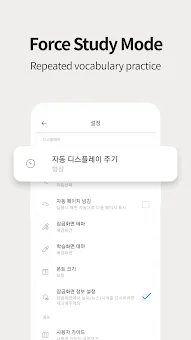
The app displays new vocabulary words directly on your device's lock screen, allowing you to study during short breaks without unlocking your phone fully.
Can I customize the difficulty of the lessons?
Yes, you can select difficulty levels based on middle school or high school curricula to match your current proficiency and learning goals.
What testing modes are available?
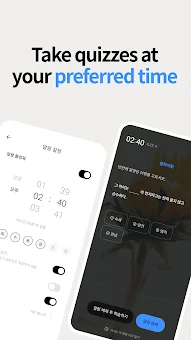
The app offers various question types to test your knowledge, including a reminder system that schedules tests at convenient times for consistent practice.
Is the app suitable for beginners?
Absolutely. The app provides definitions and examples to help beginners understand meanings and usage, making it accessible for learners at all levels.




No comments yet. Be the first!