

Magisk Manager
App details
- Updated
- 03.11.2021
- Category
- Tools
- Package name
com.topjohnwu.magisk
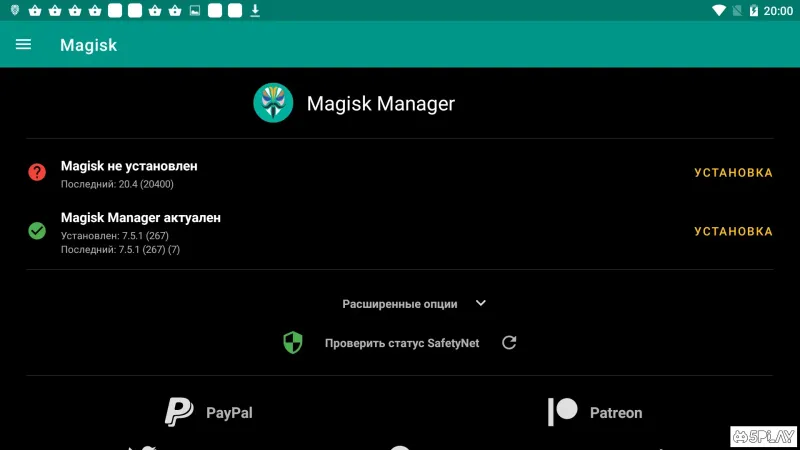
Magisk Manager is a powerful utility application designed for Android devices that allows users to gain root access while maintaining system integrity. Unlike traditional rooting methods that modify the system partition, Magisk uses a unique approach called 'systemless root.' This means that the core system files remain untouched, making it easier to unroot the device or pass safety checks in banking apps and games that detect root access. The application provides a user-friendly interface to manage these advanced permissions without requiring deep technical knowledge.
One of the key features of Magisk Manager is its ability to manage modules. Users can browse, install, and enable various modules directly from the app to enhance device functionality. These modules can modify system properties, add new features, or optimize performance.
The modular nature of Magisk allows for a highly customizable Android experience. You can install modules for theming, performance tweaks, or even add new system services without needing to flash a full ROM. The app also provides robust tools for managing the root permissions of individual applications.
You can grant or deny superuser access on a per-app basis, giving you precise control over which apps can access sensitive data or system resources. This granular control enhances security and privacy, ensuring that only trusted applications have elevated privileges.
How to install the app
- Check the version, Android compatibility, developer and source in the app details block.
- Open the official app page on Google Play if a link is available.
- Before installing, review app permissions and use only sources you trust.
Frequently asked questions
What is Magisk Manager and how does it work?
Magisk Manager is an application that manages the Magisk root solution on Android devices. It allows users to gain superuser access while keeping the system partition intact, which is crucial for passing safety checks in various apps.
Is Magisk Manager safe to use on my Android device?
Yes, Magisk Manager is considered safe because it uses systemless root. This method does not modify the system partition, reducing the risk of boot loops and making it easier to unroot the device if needed. It is widely used by developers and enthusiasts.
Can I install modules directly from Magisk Manager?
Yes, you can browse, download, and install various Magisk modules directly from the app. These modules can enhance device functionality, add new features, or optimize performance without needing to flash a full ROM manually.
Does Magisk Manager work on all Android versions?
Magisk Manager is compatible with a wide range of Android versions, from older releases to the latest ones. It is regularly updated to support new Android versions and kernel changes, ensuring broad device compatibility and stability.
Similar apps







No comments yet. Be the first!