

Map Explorer
Open in Google PlayApp details
- Version
- 3.5.0
- Updated
- 05.09.2026
- Category
- Navigators and taxis
- Compatibility
- Android
- Package name
com.cya.mapexplorer- Source
- Official Google Play page
Map Explorer is a simple yet powerful Android application designed to help you visually track your movements and better understand your surroundings. Whether you are exploring a new city or revisiting familiar streets, this app transforms every walk, run, bike ride, or car trip into a tangible part of your personal history. By visualizing your paths on a bright map, you can see exactly how much of your environment you have already covered, making it an ideal tool for travelers, joggers, and casual explorers who value clarity and simplicity in their daily activities.
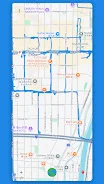
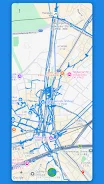
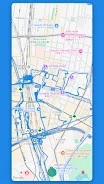
The app operates with an intuitive interface that prioritizes user privacy and battery efficiency. When you press the Start button, your path is drawn in red in real-time on the map. The recording continues even if your screen is turned off or other applications are running in the background.
Once you stop, the path turns blue and joins your permanent history of movements. All data is stored locally on your device, meaning no accounts, logins, or cloud services are required. Your geolocation data never leaves your phone, ensuring complete privacy for users who prefer to keep their movement history strictly personal.
Map Explorer offers robust features for analyzing your travels, including distance statistics and area coverage. You can view the total distance traveled in both miles and kilometers, as well as the actual land area you have visited, with each section counted only once.
How to install the app
- Check the version, Android compatibility, developer and source in the app details block.
- Open the official app page on Google Play if a link is available.
- Before installing, review app permissions and use only sources you trust.
Frequently asked questions
Does Map Explorer require an internet connection?
No, Map Explorer stores all your routes and markers locally on your device. It does not use cloud services or require an account.
How is battery life preserved during tracking?
The app batches GPS fixes using the location chip, waking the processor no more than once every 30 seconds to save energy.
Can I export my tracked data?
Yes, you can export all your route data in JSON format to the Downloads folder for backup or transfer to another phone.
What Android versions are supported?
Map Explorer is compatible with Android 6.0 and newer versions, ensuring broad device support.
Similar apps









No comments yet. Be the first!