

Microsoft Word
DownloadApp details
- Version
- 16.0.20131.20080
- Updated
- 03.10.2026
- Category
- Tools
- Compatibility
- Android 13+
- Package name
com.microsoft.office.word- Source
- Official Google Play page
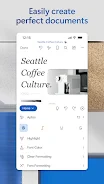
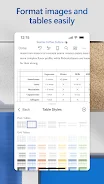
Microsoft Word is a powerful tool for creating, editing, reading, and sharing documents on your mobile device, providing the same level of convenience and functionality as on a PC. With quick start modern templates for resumes, letters, proposals, invoices, and more, users can easily begin their writing tasks. The app features a variety of formatting and layout tools that allow you to express your ideas clearly.
Its built-in reader facilitates document viewing, enabling you to open attachments and review documents effortlessly. This app is beneficial for a wide range of users, including students, bloggers, journalists, project managers, and anyone who works with text. Microsoft Word allows for the editing of long documents using familiar writing and formatting tools while collaborating with others in real-time, tracking changes in text and layout.
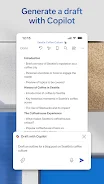
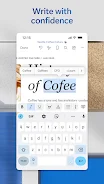
Additionally, the app simplifies document sharing; you can invite others to edit or view your files, manage permissions, and copy content into emails while preserving formatting. Thanks to the integrated AI assistant Copilot, you can quickly create resumes, refine proposals, and organize ideas. The app offers intelligent suggestions that enhance your writing clarity and effectiveness.
Overall, Microsoft Word is a versatile tool that simplifies the writing process, enabling you to work with documents anytime and anywhere, making it an essential application for productivity on Android devices.
How to install the app
- Check the version, Android compatibility, developer and source in the app details block.
- Open the Downloads tab and use the official source or an available catalog link.
- Before installing, review app permissions and use only sources you trust.
Frequently asked questions
What is Microsoft Word?
Microsoft Word is a mobile app for creating and editing documents.
Can I collaborate with others using Microsoft Word?
Yes, you can collaborate in real-time and track changes.
Does Microsoft Word offer templates?
Yes, it provides modern templates for various document types.
Is there an AI assistant in Microsoft Word?
Yes, the integrated Copilot helps with writing and suggestions.
Similar apps





No comments yet. Be the first!