

Muviz Edge: AOD & Edge Lights
Open in Google PlaySpaceAPK does not provide APK files. A listed Google Play link is a reference: check the store for availability, version, price and paid features. The catalog version is not offered as a downloadable file.
App details
- Updated
- 06.11.2026
- Category
- Systemic
- Compatibility
- ANDROID
- Package name
com.sparkine.muvizedge- Developer
- Sparkine Labs
- Source
- Google Play reference
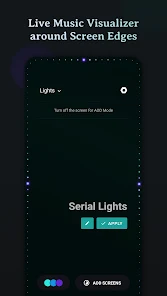
Muviz Edge stands out as a unique Android application that transforms your device's visual experience by displaying a live music visualizer around the edges of your screen. As you listen to music from your favorite apps, this tool adds a dynamic layer of lighting effects that react to the audio in real time. It serves as the perfect companion for modern smartphones, especially those with edge-to-edge rounded displays, allowing you to enjoy immersive visual feedback without needing to open the music player itself.
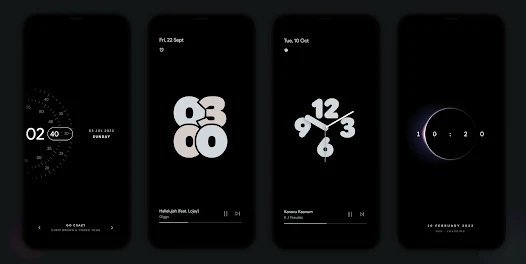
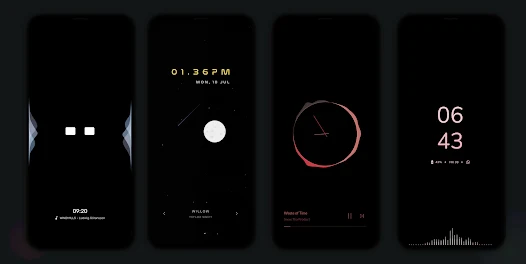
One of the standout features of this APK is its robust Always On Display integration. You can continue to enjoy the edge visualizer even when your screen is turned off, using a growing set of AOD screensavers. These displays can be used independently or in conjunction with the visualizer.
The app includes an inbuilt editor that allows for extensive customization, enabling you to set your own AOD backgrounds or choose from a wide variety of pre-designed options like dual timezone clocks, retro aesthetics, and live moon phase displays. The application supports a diverse range of music sources, ensuring compatibility whether you are streaming online or listening to offline files. You can customize the visualizer design packs to match your personal style, with new designs regularly added to keep the experience fresh.
Availability and source
- Check the version, Android compatibility, developer and source in the app details block.
- Open the official app page on Google Play if a link is available.
- Before installing, review app permissions and use only sources you trust.
Frequently asked questions
Does Muviz Edge support offline music playback?
Yes, the application supports audio visualization for music from various apps, whether the files are stored offline or being streamed online.
Can I customize the colors of the visualizer?
Absolutely. You can choose from stock palettes, extract colors from album art, automatically apply colors from the current track, or save your own custom color palettes.
Is there burn-in protection for AMOLED screens?
Yes, the app includes improved pixel shifting technology within its Always On Display features to help prevent burn-in on AMOLED displays over time.
Can I hide the visualizer while playing games?
Yes, you can configure the app to hide the visualizer when using fullscreen applications, such as when playing games or watching videos, to avoid distraction.
Similar apps





No comments yet. Be the first!
Leave a comment