

Notes - Notepad and to do list
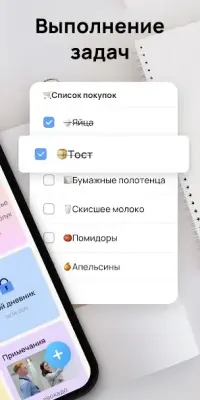
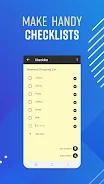
DownloadNotes is a premium note-taking application designed for Android that offers a plethora of features to enhance your productivity. With its user-friendly interface, this notepad app allows you to jot down thoughts, create to-do lists, and manage your tasks seamlessly. The built-in checklist feature makes it easy to share your lists with others across various platforms, while the search function ensures you can quickly find any note you need.
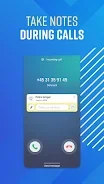
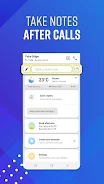
Additionally, the app provides essential data backup and restore capabilities to safeguard your important notes. One of the standout features of Notes is its ability to assist with after-call note-taking. After each phone call, the app identifies the caller and presents an after-call information screen where you can document relevant details.
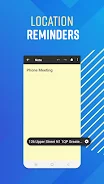
This ensures that you never miss critical information discussed during calls, making it a perfect tool for professionals and busy individuals alike. For those who often forget tasks tied to specific locations, Notes offers location-aware reminders. You can add locations to your notes, and the app will notify you when you arrive at those places.
This feature is particularly useful for remembering important tasks to complete once you reach your workplace or any other location. Moreover, Notes allows you to link notes directly to your contacts, providing smart call reminders. This means that after a call with a specific contact, you can quickly access the related notes, helping you stay organized and prepared for future conversations.
With features like undo and redo buttons, you can easily correct mistakes without hassle, and a deleted notes section lets you recover notes within nine days of deletion. Your privacy is paramount; Notes does not access or store any of your information. To ensure your data remains safe, the app encourages regular backups to Google Drive.
Experience a smarter way to take notes and manage your tasks with Notes, the ultimate notepad app for Android users.
Similar apps






No comments yet. Be the first!
Leave a comment