
Novagems TV
DownloadApp details
- Updated
- 13.10.2026
- Category
- Tools
- Compatibility
- Android
- Package name
com.novagems.watchtv- Source
- Official Google Play page
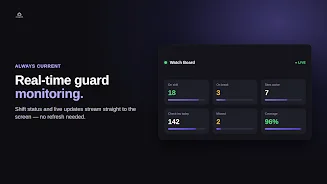
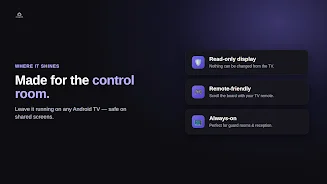
Novagems TV is an innovative Android application designed to transform any Android TV into a live, real-time monitoring dashboard for security operations. By connecting your television to the Novagems ecosystem, you create a dedicated visual hub that displays critical security data without requiring constant manual updates. This solution is ideal for control rooms, reception desks, and command centers where situational awareness is paramount.
The app ensures that your team remains informed about guard statuses, shift activities, and operational updates as they happen, turning a standard display into a powerful communication tool. Setting up the monitor is remarkably straightforward and requires no complex configuration. You simply install the Novagems TV APK on your Android TV device and launch the application.
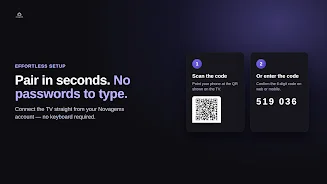
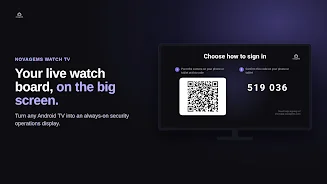
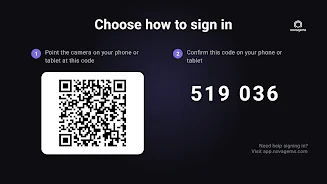
The screen will display a QR code along with a six-digit connection code. Using your Novagems account on a smartphone or computer, you scan the code or enter the digits to authenticate the device. Within seconds, your television is linked to your account, and the live feed begins.
This seamless connection process ensures that even non-technical staff can set up the display quickly without needing to manage multiple logins or credentials on the TV itself. The interface is designed with a clean, focused layout optimized for viewing from a distance, resembling a modern living room interface.
How to install the app
- Check the version, Android compatibility, developer and source in the app details block.
- Open the Downloads tab and use the official source or an available catalog link.
- Before installing, review app permissions and use only sources you trust.
Frequently asked questions
What is Novagems TV used for?
Novagems TV turns any Android TV into a live dashboard for displaying security guard statuses, shift activities, and operational updates in real-time.
How do I connect Novagems TV to my Android TV?
Install the app, scan the displayed QR code or enter a 6-digit code using your Novagems account on a phone or computer to connect instantly.
Can I edit data from the TV screen?
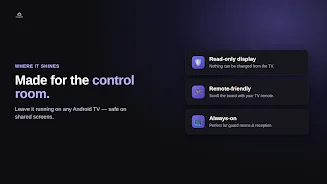
No, the app is read-only. Information is displayed for viewing only, ensuring the data remains accurate and safe on public screens.
Do I need a Novagems account to use this app?
Yes, Novagems TV is designed for existing clients. You need an active Novagems account to authenticate and view the live monitor.

No comments yet. Be the first!