

Olauncher
DownloadApp details
- Version
- 6.9.1
- Updated
- 23.10.2026
- Category
- Systemic
- Compatibility
- Android 7.0+
- Package name
app.olauncher- Source
- Official Google Play page
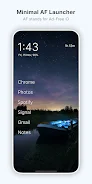
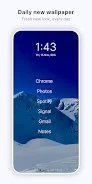
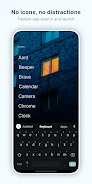
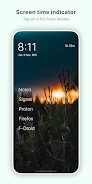
Olauncher is a highly regarded minimal Android launcher designed to help you regain control of your device usage. By stripping away the clutter of traditional home screens, this ad-free app reduces distractions and helps lower screen time, allowing you to focus on what truly matters. It offers a clean interface with no icons or unnecessary elements, promoting a more mindful digital experience for users who prefer simplicity over complexity.
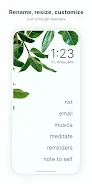
The app includes powerful customization options that let you tailor the interface to your needs. You can resize text, rename apps, hide unused applications, and adjust app text alignments. Additional features include toggling the status bar visibility, enabling dark and light themes, and supporting dual apps or work profiles.
These tools ensure that the launcher adapts to your workflow while maintaining its sleek, uncluttered aesthetic. Navigation is intuitive and gesture-based, enhancing the overall user experience. You can double-tap anywhere on the screen to lock the display, swipe left or right to open specific apps, and swipe down to access notifications.
These simple gestures make interacting with your device faster and more efficient, reducing the number of taps required to perform common tasks throughout the day. Privacy is a core pillar of Olauncher. As a free and open-source software (FOSS) project licensed under GPLv3, it collects no user data.
How to install the app
- Check the version, Android compatibility, developer and source in the app details block.
- Open the Downloads tab and use the official source or an available catalog link.
- Before installing, review app permissions and use only sources you trust.
Frequently asked questions
Is Olauncher free and open source?
Yes, Olauncher is completely free and open source under the GPLv3 license. It does not collect user data and is considered FOSS software.
How do I lock the screen with Olauncher?
You can lock the screen by double-tapping anywhere on the home screen. This feature uses the optional accessibility service, which is disabled by default.
Does Olauncher support gestures?
Yes, you can swipe left or right to open apps and swipe down to view notifications. Double-tapping locks the screen. Gesture support may vary by device manufacturer.
Can I hide apps in Olauncher?
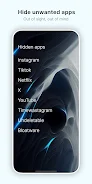
Yes, you can hide unused apps to keep your home screen clean. Access this feature by long-pressing the home screen, tapping Olauncher at the top, and selecting hidden apps.







No comments yet. Be the first!