
PDF Reader: Editor & Viewer
Open in Google PlayApp details
- Version
- 1.0.0
- Updated
- 20.09.2026
- Category
- Tools
- Compatibility
- Android
- Package name
com.pdfeditor.converter.reader.scantopdf- Source
- Official Google Play page
The PDF Reader: Editor & Viewer application is a powerful and efficient tool designed to make working with PDF files as simple and convenient as possible. Whether you need to simply view a document, make quick edits, or organize pages systematically, all necessary tools are concentrated in one place. This app is ideal for both professional use and daily tasks, allowing users to save time and effort while managing their digital documents effectively.
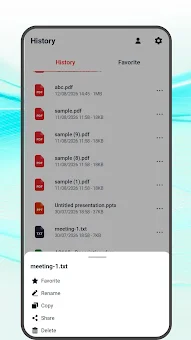
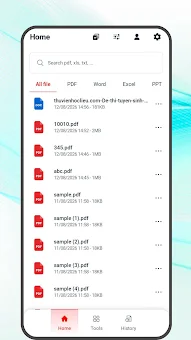
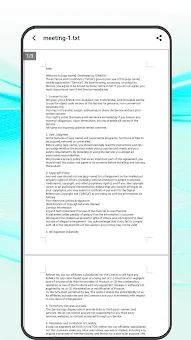
One of the main advantages of the program is its high-quality reading mode. You can open and view PDF files in a comfortable interface that ensures clean and pleasant perception of text and images. The system allows easy navigation between pages and provides instant access to your documents at any convenient moment.
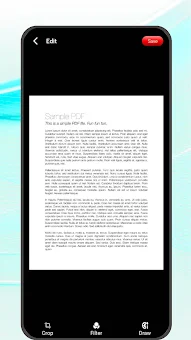
This makes the process of familiarizing yourself with information clear and efficient, especially when working with large volumes of data. For those who need to insert content into files, powerful editing tools are offered. You can make minor corrections to your documents: trim excess areas, rotate pages to the desired angle, add your own images or notes, apply various visual filters, and adjust page display before saving changes.
This allows you to adapt the document to specific needs without the need for complex professional software. Special attention is paid to file structure management. You can combine several separate PDF documents into one target file or split large documents into smaller parts.
How to install the app
- Check the version, Android compatibility, developer and source in the app details block.
- Open the official app page on Google Play if a link is available.
- Before installing, review app permissions and use only sources you trust.
Frequently asked questions
What is the main purpose of the PDF Reader: Editor & Viewer app?
The main purpose is to provide a simple and efficient way to view, edit, and organize PDF documents on Android devices for both personal and professional use.
Can I edit PDF files without using complex professional software?
Yes, the app allows you to trim pages, rotate documents, add images or notes, and apply visual filters directly within the application for quick adjustments.
How does the app help with managing large PDF documents?
You can split large documents into smaller parts or combine several files into one, making it easier to archive, search, and manage important pages efficiently.
Is this application suitable for students and business users?
Absolutely. It is designed for students preparing notes and business professionals handling contracts, reports, and other electronic documents requiring frequent access.
No comments yet. Be the first!