

Phone Cleaner Storage Manage
DownloadApp details
- Version
- 1.0.4
- Updated
- 02.10.2026
- Category
- Tools
- Compatibility
- Android
- Package name
com.clevara.cleaner- Source
- Official Google Play page
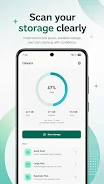
Phone Cleaner is a convenient memory management application designed to help you understand exactly what is taking up space on your Android device. It allows you to view unnecessary files and safely delete selected items with precision. The app provides a clear distribution of large files, downloads, APKs, duplicates, and other memory categories, giving you full control over your storage.
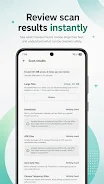
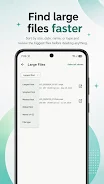
This transparency ensures you know precisely where your data resides and how much room is available for new content. The application features advanced scanning capabilities that detect large videos, images, documents, and other files consuming significant space. You can sort these results by size, name, date, or file type to quickly locate the biggest offenders.
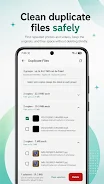
Additionally, it identifies exact byte-for-byte identical photos and videos, allowing you to review duplicate groups, keep your favorite copy, and remove only the redundant files. This ensures your gallery remains organized without losing important memories. For users who frequently download content, the built-in download manager lets you view, search, filter, and delete unnecessary files easily.
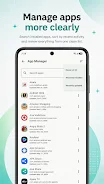
The APK manager helps you locate installation packages stored on your device, showing file size and location. You can open supported APKs using the official Android installer or remove old installation files to free up space.
How to install the app
- Check the version, Android compatibility, developer and source in the app details block.
- Open the Downloads tab and use the official source or an available catalog link.
- Before installing, review app permissions and use only sources you trust.
Frequently asked questions
Does Phone Cleaner delete files automatically?
No, the app does not delete personal files automatically. You manually select items, review your choices, and confirm actions before moving them to the trash or deleting them permanently.
Is my data private?
Yes, all scanning and analysis are performed locally on your Android device. Your personal file content is not uploaded to any cloud server, and no account is required.
Can I manage APK files with this app?
Yes, the APK manager helps you locate installation packages, view their size and location, open them with the official installer, or delete old files to free up space.
What is the dynamic cleaning feature?
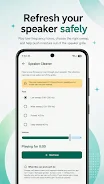
Dynamic cleaning plays low-frequency sound patterns to help remove moisture from the speaker grille. Results may vary, and it does not repair damaged hardware.







No comments yet. Be the first!