
Photo Editor Video Maker Music
DownloadApp details
- Version
- 2.0.3
- Updated
- 13.09.2026
- Category
- Multimedia
- Compatibility
- Android 7.0+
- Package name
videomaker.photoeditor.slideshowmaker.videoeditor- Source
- Official Google Play page
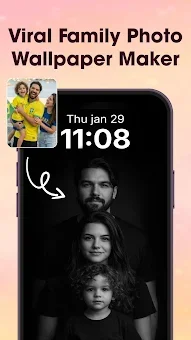
Transform your everyday snapshots into cinematic masterpieces with Photo Editor Video Maker Music. This versatile Android application allows you to turn static images into dynamic video stories complete with synchronized music, stylish transitions, and creative visual effects. Whether you are commemorating a special birthday, wedding anniversary, or simply capturing daily highlights, the app provides an intuitive interface to arrange your photos and pair them with the perfect soundtrack.
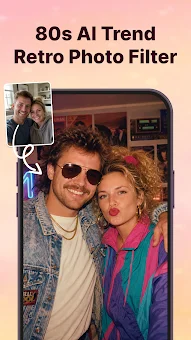
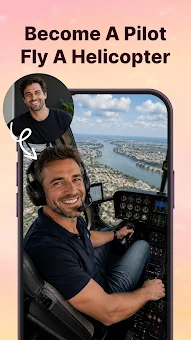
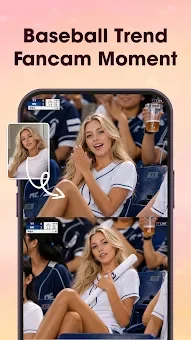
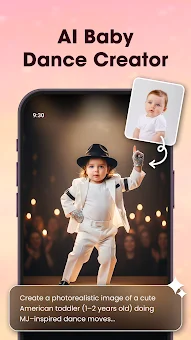
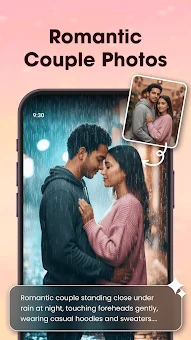
The result is a polished, emotional video that brings your memories to life with professional-grade polish and ease. Leverage advanced AI technology to enhance your content instantly. The AI Video Generator offers unique templates such as AI Hug and AI Kiss, allowing you to create touching interactions within your photos.
You can also utilize the AI Background Remover to erase or replace backgrounds in just one click, ensuring your subjects stand out perfectly. Additionally, the AI Photo Enhancer automatically improves image clarity, lighting, and detail, giving your visuals a crisp, high-definition appearance without requiring manual editing skills. These tools ensure that every frame looks stunning and ready for social media sharing.
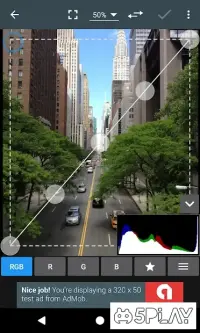
Customize your video projects with a comprehensive suite of editing tools. Before creating your video, use the built-in photo editor to apply filters, adjust contrast, crop images, or retouch details.
How to install the app
- Check the version, Android compatibility, developer and source in the app details block.
- Open the Downloads tab and use the official source or an available catalog link.
- Before installing, review app permissions and use only sources you trust.
Frequently asked questions
How does the AI Video Generator work in this app?
The AI Video Generator transforms simple photos into stunning videos using templates like AI Hug and AI Kiss. You just select a template and your photo, and the app automatically generates the video.
Can I remove backgrounds from my photos easily?
Yes, the app includes an AI Background Remover that allows you to erase or replace photo backgrounds with a single click, making it easy to isolate subjects for your videos.
What features are included for editing photos before making videos?
The built-in editor offers filters, stickers, text, cropping, tone adjustments, and contrast controls. You can enhance image clarity and lighting before adding them to your video project.
Is it possible to add custom music to my video slideshows?
Absolutely. You can choose from trending tracks or add your own music to pair with your photo sequence. This feature helps you create a personalized soundtrack for birthdays, weddings, or daily highlights.
Similar apps




No comments yet. Be the first!