

Pitch | Collaborate on decks
Open in Google PlayApp details
- Version
- 2.142.0
- Updated
- 31.08.2026
- Category
- Tools
- Compatibility
- Android 7.0+
- Package name
com.pitch.android- Source
- Official Google Play page
Pitch is a modern presentation platform designed to help teams achieve their best work. The Pitch Android app transforms your smartphone into a powerful workflow management tool, allowing you to take presentations anywhere. It serves as the perfect companion to the web version, ensuring continuous collaboration and access to all necessary materials at any time of day.
Thanks to the Pitch app, you gain full control over your slides and collections, making it an essential tool for mobile productivity. The core "on-the-go viewing" feature allows you to access your workspace and folders from any location. You can view presentations both online and offline, making work stable even with weak internet connections.
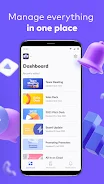
The app provides quick access to all your projects, allowing you to quickly assess progress and make adjustments on the fly. This flexibility ensures that your workflow remains uninterrupted regardless of your current network conditions or physical location. Team collaboration becomes significantly easier with integrated communication tools.
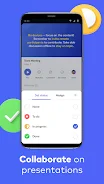
You can add comments and reactions to specific slides, assign responsibilities for certain slides, and track the status of updates. Important notifications arrive via email or push notifications, allowing you to react instantly to changes and provide the team with the feedback necessary for project success. This streamlined communication reduces delays and keeps everyone aligned.
The app also simplifies content distribution.
How to install the app
- Check the version, Android compatibility, developer and source in the app details block.
- Open the official app page on Google Play if a link is available.
- Before installing, review app permissions and use only sources you trust.
Frequently asked questions
Does the Pitch app support offline viewing?
Yes, you can view presentations online and offline, ensuring stable work even with weak internet connections.
Can I collaborate with my team on mobile?
Absolutely. You can add comments, react to slides, assign tasks, and track updates directly from the Android app.
Does Pitch work on other platforms?
Yes, it integrates seamlessly with web, Mac, and Windows versions, preserving your editing history and context across devices.








No comments yet. Be the first!