
Pixlr 3.4.62
App details
- Updated
- 16.06.2025
- Category
- Miscellaneous
Pixlr 3.4.62 stands out as a robust and intuitive photo editing application designed specifically for Android devices. It offers a seamless experience for users who want to transform ordinary snapshots into vibrant, professional-looking images without needing advanced technical skills. The interface is thoughtfully designed to be user-friendly, ensuring that both beginners and experienced editors can navigate the tools with ease.
This balance of simplicity and power makes it one of the most convenient utilities for daily image processing on mobile platforms. One of the key features of Pixlr is its extensive collection of filters and effects. These tools allow you to add artistic flair to your photos instantly.
Whether you prefer a vintage look, a modern aesthetic, or a dramatic contrast, the app provides a wide range of options to suit your creative vision. In addition to visual effects, Pixlr includes precise adjustment settings for brightness, contrast, saturation, and sharpness. These granular controls enable you to fine-tune every aspect of your image, ensuring that the final result matches your exact expectations.
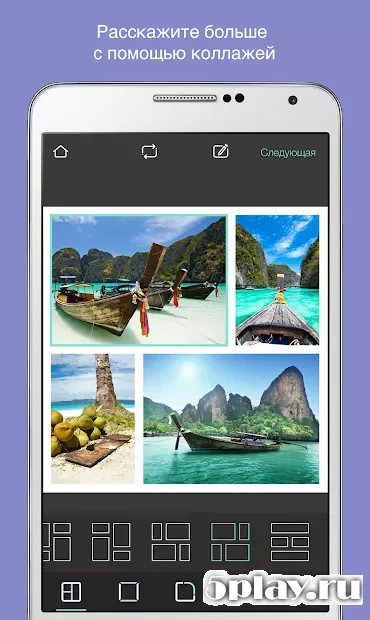
The application excels at creating colorful collages, making it an ideal tool for social media enthusiasts. You can combine multiple photos into a single, cohesive layout with various templates and design elements. The ability to layer images, add text, and apply decorative stickers enhances the creative possibilities.
How to install the app
- Check the version, Android compatibility, developer and source in the app details block.
- Open the official app page on Google Play if a link is available.
- Before installing, review app permissions and use only sources you trust.
Frequently asked questions
Is Pixlr 3.4.62 free to use on Android?
Pixlr 3.4.62 is available for download on Android devices. It may offer both free and premium features depending on the specific version and in-app purchases.
What features does Pixlr 3.4.62 offer?
The app includes filters, effects, brightness adjustments, collage creation tools, cropping, and layering capabilities for comprehensive photo editing.
Does Pixlr work on older Android versions?
Yes, Pixlr 3.4.62 is optimized for various Android versions, ensuring smooth performance and compatibility with a wide range of devices.
Can I create collages with Pixlr?
Absolutely. Pixlr provides multiple templates and tools to easily combine multiple photos into beautiful and colorful collages.
Similar apps
No comments yet. Be the first!