
Pocket Game Developer
Open in Google PlaySpaceAPK does not provide APK files. A listed Google Play link is a reference: check the store for availability, version, price and paid features. The catalog version is not offered as a downloadable file.
App details
- Recorded version
- 23.01.48
- Updated
- 19.07.2026
- Category
- Arcade
- Compatibility
- Android 5.0+
- Package name
com.pocketgamedev- Source
- Google Play reference
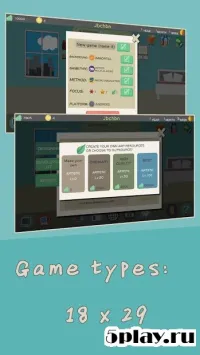
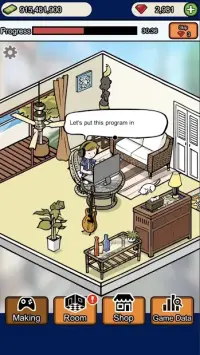
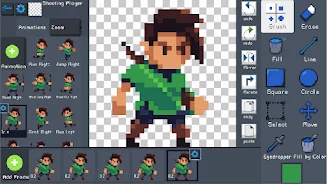
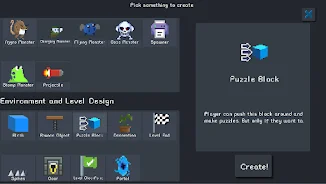
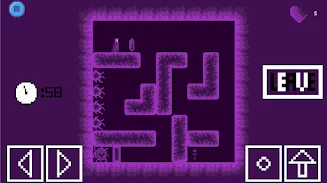
Pocket Game Developer is a user-friendly application designed for creating games, enabling users to bring their creative ideas to life. With an intuitive interface, you can craft your own games along with animations, sound effects, game objects, and levels. All these elements can be assembled into a cohesive project, allowing you to create a unique gaming experience.
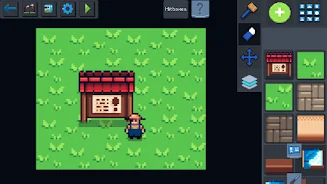
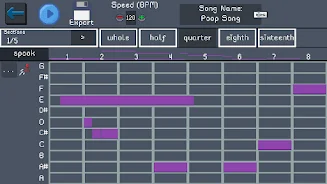
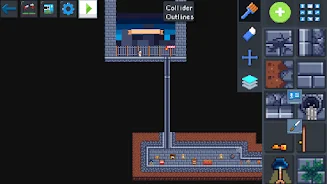
Key features of Pocket Game Developer include the ability to create games from scratch without needing in-depth programming knowledge, character and object animation capabilities, and tools for developing sound effects that enhance the atmosphere of your game. Additionally, it offers an easy-to-use level editor that facilitates quick game environment development. You can compile all components into a single game, providing real-time feedback on your work.
This app is beneficial not only for beginners who want to learn game creation but also for experienced developers seeking a straightforward tool to implement their ideas. Pocket Game Developer is an excellent choice for students, educators, and anyone with a creative approach to game development. Overall, Pocket Game Developer is a powerful tool for anyone dreaming of creating their own game, offering ease of use and numerous opportunities to realize your creative visions.
Discover the world of game development with Pocket Game Developer!
Availability and source
- Check the version, Android compatibility, developer and source in the app details block.
- Open the official app page on Google Play if a link is available.
- Before installing, review app permissions and use only sources you trust.
Frequently asked questions
What is Pocket Game Developer?
It is an application for creating games without deep programming knowledge.
Can I animate characters with this app?
Yes, Pocket Game Developer allows animation of characters and objects.
Is it suitable for beginners?
Absolutely! It's designed for both beginners and experienced developers.
What features does the level editor offer?
The level editor is user-friendly and helps in quickly developing game environments.
Similar apps





No comments yet. Be the first!