
Privacy App Guard
DownloadApp details
- Version
- 1.0.1
- Updated
- 15.09.2026
- Category
- Casual
- Compatibility
- Android
- Package name
com.privacy.guard.tool.afsrited- Source
- Official Google Play page
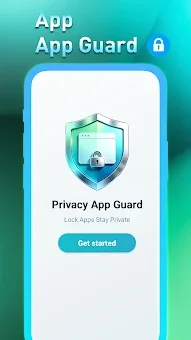
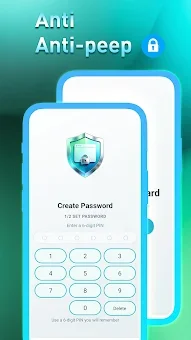
Have you ever handed your smartphone to a friend or family member and worried they might scroll through your private photos or read your messages? Privacy App Guard solves this common dilemma by providing a robust, lightweight application lock solution tailored for Android users. It creates a secure digital barrier around your most sensitive data, ensuring that only you have access to your personal information when you are not looking.
This tool is designed to be unobtrusive yet effective, offering peace of mind in both personal and professional settings. The core functionality revolves around granular control over which applications require authentication to open. You can selectively lock social media apps, banking accounts, photo galleries, SMS, contacts, and even system settings.
With just a single tap, you can secure these apps, preventing unauthorized users from peeking into your private conversations or sensitive financial details. The interface is intuitive, making it easy to manage your locked apps without needing technical expertise. Beyond personal privacy, this app is excellent for child protection.
Parents can lock games and specific apps to prevent children from accessing age-inappropriate content or making accidental purchases. It also safeguards against accidental clicks on system settings, which could lead to unwanted downloads or configuration changes.
How to install the app
- Check the version, Android compatibility, developer and source in the app details block.
- Open the Downloads tab and use the official source or an available catalog link.
- Before installing, review app permissions and use only sources you trust.
Frequently asked questions
What apps can I lock using Privacy App Guard?
You can lock almost any application on your Android device, including social media, gallery, SMS, contacts, banking apps, and system settings for complete control.
Is Privacy App Guard safe for children?
Yes, it is ideal for child protection as you can lock games and apps to prevent accidental purchases or access to age-inappropriate content easily.
Does the app use a lot of battery or storage?
No, Privacy App Guard is designed to be lightweight and stable, ensuring it does not significantly impact your device's battery life or storage space.
How do I lock an app with this tool?
Simply select the apps you wish to protect from the list, and the app will apply a secure lock requiring your authentication to open them again.
Similar apps






No comments yet. Be the first!