

QR Maa
DownloadApp details
- Version
- 1.0.1
- Updated
- 02.10.2026
- Category
- Tools
- Compatibility
- Android
- Package name
com.aizvi.qrmaa- Developer
- AIZVI
- Source
- Official Google Play page
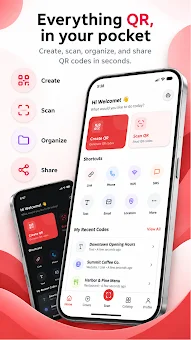
QR Maa is a comprehensive and universal Android application designed to streamline your interaction with QR codes. This powerful tool combines a high-quality generator, a fast scanner, and a convenient editor into a single, easy-to-use interface. Whether you are a business owner looking to enhance customer engagement or an individual wanting to share information efficiently, QR Maa provides the essential tools to create, customize, scan, and manage QR codes from one convenient location.
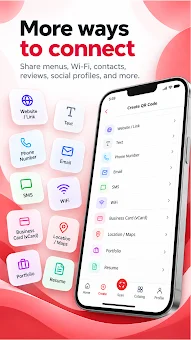
The app makes the process of exchanging information simple, effective, and visually appealing. The application supports the creation of QR codes for a wide variety of purposes. You can generate codes for websites, plain text, phone numbers, email addresses, SMS messages, Wi-Fi networks, physical locations, and maps.
It is particularly popular for creating digital business cards, portfolios, resumes, and landing pages that include menus and other useful information. This versatility makes it an ideal companion for networking events, marketing campaigns, or personal organization, ensuring that your data is accessible with just a quick scan. A standout feature of QR Maa is the ability to create smart landing pages powered by artificial intelligence.
The AI assists in transforming details about your business or personal profile into professional, mobile-optimized web pages.
How to install the app
- Check the version, Android compatibility, developer and source in the app details block.
- Open the Downloads tab and use the official source or an available catalog link.
- Before installing, review app permissions and use only sources you trust.
Frequently asked questions
What types of content can I encode using QR Maa?
You can encode websites, text, phone numbers, emails, SMS, Wi-Fi credentials, locations, and digital business cards.
Does QR Maa use artificial intelligence for code creation?
Yes, the app uses AI to help create smart landing pages that are optimized for mobile devices and professional presentation.
Can I customize the appearance of my QR codes?
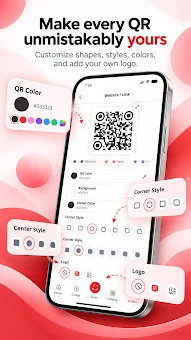
Absolutely. You can change colors, backgrounds, corner styles, and add center logos to match your brand or personal style.
Is there a way to manage all my created codes in one place?
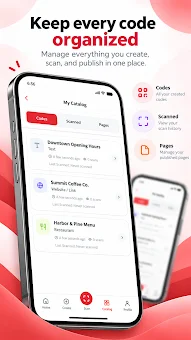
Yes, all created, scanned, and published codes are stored in a convenient catalog for easy management and retrieval.
Similar apps


No comments yet. Be the first!