

Read Aloud: Documents & Books
DownloadApp details
- Updated
- 06.10.2026
- Category
- Reading and news
- Compatibility
- Android
- Package name
com.pearmobile.universalreader- Developer
- PearMobile Ltd.
- Source
- Official Google Play page
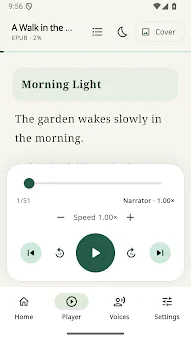
Read Aloud: Documents & Books is a versatile Android application designed to transform supported documents into immersive audiobooks. This tool converts text into speech, allowing you to save local audio recordings in a single library. You can listen to books, choose from available voices, and resume playback exactly where you left off.
The app is ideal for those who want to save time by listening to text instead of reading, or for users with vision difficulties who prefer audio consumption. The core functionality includes reading documents aloud, supporting formats such as PDF, EPUB, FB2, and DOCX. It features optical character recognition to extract text from scanned images, enabling you to listen to physical documents as well.
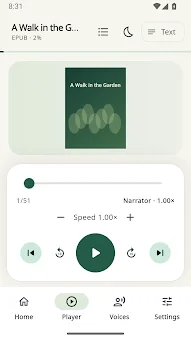
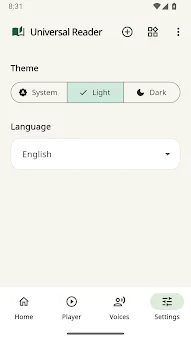
You can select different languages for reading and explore installed voices. The app allows you to import single files, multiple tracks, or entire folders, and it supports ZIP archives and local playlists for organized listening sessions. Navigation is intuitive, with controls to pause, rewind, or fast-forward by ten-second intervals.
The app saves playback progress for each book separately, ensuring you never lose your place. It operates in the background, offers a home screen widget, and provides controls via Android notification panels. This makes it easy to manage your listening experience without interrupting other activities on your device.
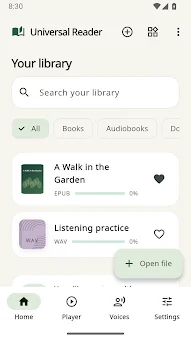
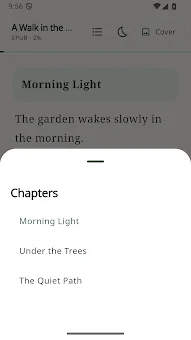
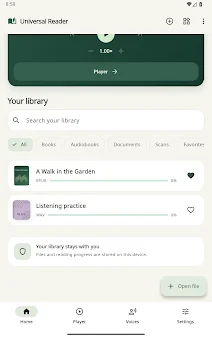
Library management is robust, storing imported books, extracted text, and playback positions locally.
How to install the app
- Check the version, Android compatibility, developer and source in the app details block.
- Open the Downloads tab and use the official source or an available catalog link.
- Before installing, review app permissions and use only sources you trust.
Frequently asked questions
Which document formats does the app support?
The application supports a wide range of document formats including PDF, EPUB, FB2, and DOCX. It also features optical character recognition to extract text from scanned images, allowing you to listen to physical documents as well.
Does the app work offline?
Yes, text recognition works directly on the device, ensuring privacy and speed. However, some voices may require an internet connection or additional downloads depending on the installed Text-to-Speech engines.
Can I save my reading progress?
Yes, the app saves playback progress for each book separately. You can resume listening exactly where you left off, making it convenient for long documents or books that you read over time.
Is there a widget for quick access?
Yes, the app offers a home screen widget for quick access. You can also control playback via Android notification panels, allowing you to manage your listening experience without interrupting other activities.
Similar apps






No comments yet. Be the first!