

Simple Diary Journal with Lock
DownloadApp details
- Version
- 3.3.0
- Updated
- 18.09.2026
- Category
- Tools
- Compatibility
- Android 9.0+
- Package name
com.komorebi.diary- Source
- Official Google Play page
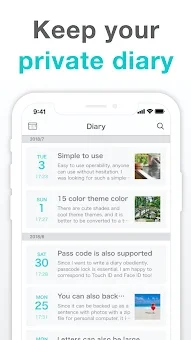
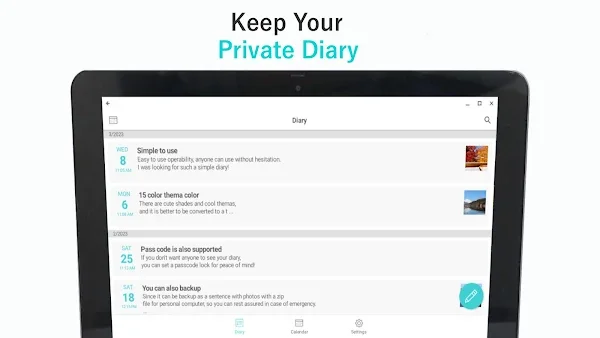
Simple Diary Journal with Lock is a dedicated private diary application designed for Android devices that prioritize user privacy and local data storage. Unlike many cloud-based alternatives, this app keeps all your diary entries, notes, and attached photos stored directly on your device. There is no requirement to create an account, sign in, or sync your personal writings to external servers.
This ensures that your daily reflections, mood records, and personal memories remain entirely yours, accessible only when you unlock your phone. It is an ideal solution for users who want a secure, offline journaling experience without relying on an internet connection or third-party cloud services. The app offers a robust set of features to enhance your writing experience while maintaining simplicity.
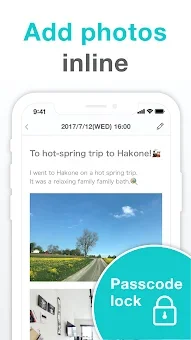
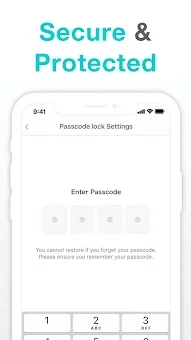
You can protect your sensitive entries with a passcode lock, adding an extra layer of security against unauthorized access. Each diary entry can include up to 15 photos, making it perfect for creating a visual diary, tracking travel memories, or documenting daily life moments. The interface allows you to write multiple entries on the same day, which is useful for separating morning thoughts, work notes, and evening reflections.
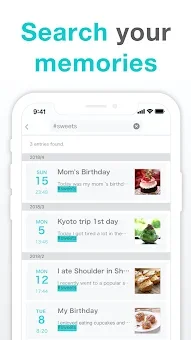
Additionally, you can search past entries using specific words or phrases, helping you quickly locate memories or ideas you recorded in the past. Customization is a key feature of this Android APK, allowing you to tailor the app to your preferences.
How to install the app
- Check the version, Android compatibility, developer and source in the app details block.
- Open the Downloads tab and use the official source or an available catalog link.
- Before installing, review app permissions and use only sources you trust.
Frequently asked questions
Does Simple Diary Journal with Lock require an internet connection to work?
No, the app stores all data locally on your device. You can write entries and add photos completely offline without needing Wi-Fi or mobile data.
How many photos can I add to a single diary entry?
You can attach up to 15 photos to each individual entry, making it easy to combine visual memories with your written notes and reflections.
Is my diary data stored in the cloud or on my device?
Your diary entries and photos are stored locally on your Android device. There is no cloud sync, so your data remains private and does not depend on external servers.
Can I customize the appearance of the writing screen?
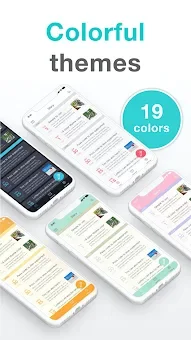
Yes, you can choose from 19 color themes and adjust font size, line spacing, and text appearance to create a comfortable and personalized writing environment.
Similar apps








No comments yet. Be the first!