

Smart Clean: Junk Cleaner
Open in Google PlaySpaceAPK does not provide APK files. A listed Google Play link is a reference: check the store for availability, version, price and paid features. The catalog version is not offered as a downloadable file.
App details
- Recorded version
- 1.1.9
- Updated
- 23.09.2026
- Category
- Tools
- Compatibility
- Android 8.0+
- Package name
com.smart.clean.phone.tools.ai.clear- Source
- Google Play reference
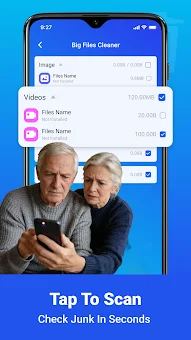
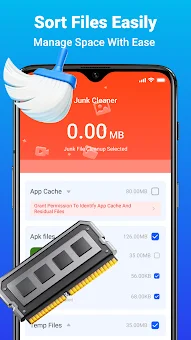
Smart Clean: Junk Cleaner is a powerful utility designed to help Android users manage storage and monitor device health efficiently. This application provides a straightforward interface that makes it easy to organize your files and gain a clear understanding of your smartphone or tablet's status. It is built to assist users in freeing up valuable space by removing unnecessary files and clutter that accumulate over time.
The app offers effective junk cleaning capabilities, allowing you to reclaim storage space on your device. Users have access to detailed analysis of battery status, which helps in better controlling energy consumption. This feature ensures that your device runs smoothly without draining the battery unnecessarily, providing a more reliable daily experience.
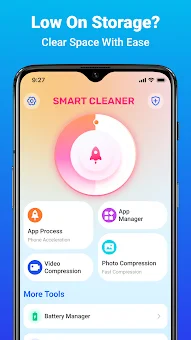
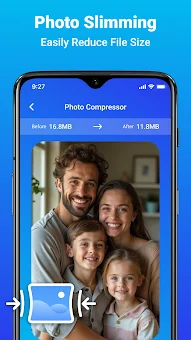
One of the key features is the ability to compress videos and images. This function reduces the size of media files without significant loss in quality, making it an ideal solution for saving space on your device. You can keep your favorite photos and videos without worrying about running out of storage capacity.
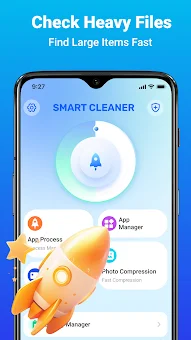
Additionally, Smart Clean provides tools for managing installed applications and viewing active processes in real-time. With the built-in file manager, you can easily move, delete, and organize data on your device.
Availability and source
- Check the version, Android compatibility, developer and source in the app details block.
- Open the official app page on Google Play if a link is available.
- Before installing, review app permissions and use only sources you trust.
Frequently asked questions
What is the main function of Smart Clean: Junk Cleaner?
The main function is to clean junk files from your Android device to free up storage space and improve overall performance efficiently.
Does Smart Clean modify system files during cleaning?
No, the program operates within standard Android capabilities and does not modify system files, ensuring device stability during the cleaning process.
Can I compress media files with this application?
Yes, the app includes a feature to compress videos and images, reducing file size without significant loss in quality to save storage space.
Does the app monitor battery usage on Android?
Yes, it provides detailed analysis of battery status, helping you control energy consumption and keep your device running longer between charges.








No comments yet. Be the first!