
Smart Launcher Pro 3
DownloadApp details
- Updated
- 04.11.2021
- Category
- Browsers
- Package name
ginlemon.flowerpro- Source
- Official Google Play page
Smart Launcher Pro 3 represents a significant evolution in minimalist Android home screen design, offering users a streamlined and intuitive interface that adapts to their daily usage patterns. This application is designed to declutter your mobile device by automatically categorizing your apps and contacts, ensuring that your most frequently used tools are always just a tap away. The interface is clean, modern, and free from unnecessary visual noise, allowing you to focus on what matters most without distraction.
One of the standout features of this launcher is its ability to organize applications into logical groups based on their function. Instead of scrolling through endless lists of icons, you will find your apps neatly sorted into categories such as communication, media, or tools. This smart organization reduces the time spent searching for specific applications and creates a more efficient workflow.
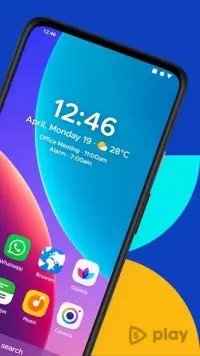
The app also learns your habits over time, prioritizing the apps you use most often during specific times of the day. The design philosophy behind Smart Launcher Pro 3 emphasizes simplicity and elegance. It features a minimalistic aesthetic with a single home screen that displays essential information like the time, date, and weather at a glance.
All other apps are accessible through a bottom menu that categorizes them for easy navigation.
How to install the app
- Check the version, Android compatibility, developer and source in the app details block.
- Open the Downloads tab and use the official source or an available catalog link.
- Before installing, review app permissions and use only sources you trust.
Frequently asked questions
What is the main benefit of using Smart Launcher Pro 3 on Android?
The main benefit is automatic app categorization and a clutter-free interface that adapts to your usage patterns, saving time and reducing visual noise on your home screen.
Does Smart Launcher Pro 3 consume a lot of battery power?
No, it is designed to be lightweight and energy-efficient, helping to preserve battery life by minimizing background processes and unnecessary animations compared to standard launchers.
Can I customize the appearance of the launcher?
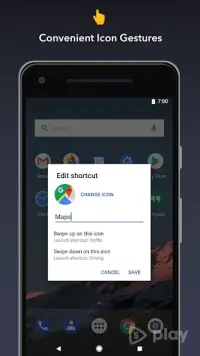
Yes, you can customize colors, fonts, icons, and widget placements to suit your personal preferences while maintaining the smart organizational structure of your applications.
Is this launcher suitable for older Android devices?
Yes, Smart Launcher Pro 3 is optimized for performance and runs smoothly on a wide variety of Android devices, including older models with limited processing power and memory.
Similar apps



No comments yet. Be the first!