
SmartOffice 3.11.7
DownloadApp details
- Updated
- 17.10.2026
- Category
- Miscellaneous
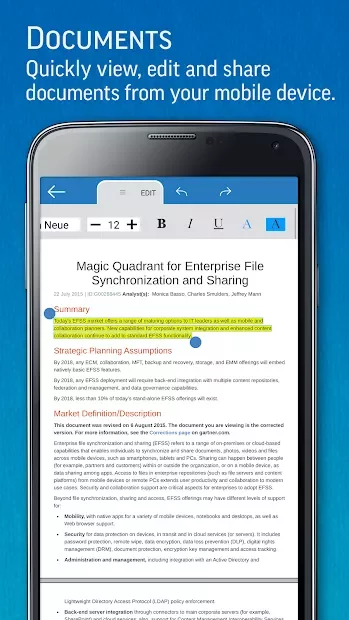
SmartOffice 3.11.7 is a powerful application designed for Android users who need to manage text files directly from their mobile devices. This versatile app allows you to create and edit documents on the go, making it ideal for professionals and students alike. With SmartOffice, you can easily generate graphs and import data in table format, ensuring that your presentations and reports are visually appealing and informative.
One of the standout features of SmartOffice 3.11.7 is its ability to handle PDF files. Users can open, view, and annotate PDFs, making it a comprehensive tool for document management. Whether you are reviewing contracts or sharing notes, the app provides a seamless experience that enhances productivity.
The intuitive interface ensures that navigating through your files is straightforward, allowing you to focus on your work without distractions. Additionally, SmartOffice supports various file formats, ensuring compatibility with documents created in other applications. This flexibility means you can work with your existing files without any hassle.
The app also offers cloud storage integration, enabling users to save and access their documents anytime, anywhere. This feature is particularly useful for those who work remotely or need to share files with colleagues and clients. SmartOffice 3.11.7 is not just about functionality; it is also about convenience.
The app is optimized for mobile use, with touch-friendly controls that make editing documents simple and efficient. Whether you are drafting a report or making last-minute changes to a presentation, SmartOffice provides the tools you need to succeed. Experience the future of mobile document management with SmartOffice 3.11.7, and take your productivity to the next level.
How to install the app
- Check the version, Android compatibility, developer and source in the app details block.
- Open the Downloads tab and use the official source or an available catalog link.
- Before installing, review app permissions and use only sources you trust.
Frequently asked questions
What file formats does SmartOffice support?
SmartOffice supports various formats including DOCX, XLSX, and PDF.
Can I edit PDF files with SmartOffice?
Yes, SmartOffice allows you to open, view, and annotate PDF files.
Is SmartOffice available for free?
SmartOffice offers a free version with essential features; additional features may require in-app purchases.
Does SmartOffice support cloud storage?
Yes, SmartOffice integrates with cloud storage services for easy file access.
Similar apps

No comments yet. Be the first!