
Sync for iCloud
DownloadApp details
- Version
- 15.10
- Updated
- 14.10.2026
- Category
- Tools
- Compatibility
- Android 7.0+
- Package name
com.granita.caldavsync- Source
- Official Google Play page
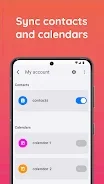
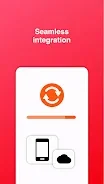
Sync for iCloud allows you to seamlessly manage your iCloud contacts and calendars directly from your Android device without any cost. The application features two-way synchronization, ensuring that changes made on either platform are reflected in real-time. It connects directly to iCloud servers, eliminating the need for third-party servers, which enhances your data security and privacy.
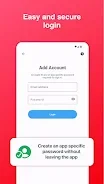
The setup process is simple and quick, requiring just a few steps to get started. With Sync for iCloud, you can easily log in using a tutorial that guides you through the process of two-step verification. Additionally, the app allows you to generate app-specific passwords without leaving the interface, making it user-friendly and efficient.
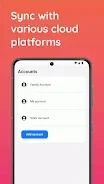
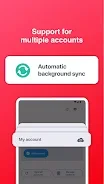
Background synchronization keeps your data up-to-date, while the option to manage multiple accounts adds flexibility for users who have more than one iCloud account. Your calendars will sync to your default calendar app, and your contacts will integrate smoothly into your default contacts application. This means you can continue using the apps you are familiar with while enjoying the convenience of iCloud synchronization.
Data safety is a top priority; Sync for iCloud transfers data directly between your device and Apple servers, ensuring that we never have access to your username or password. Enjoy the benefits of iCloud on your Android device with Sync for iCloud, making it easier than ever to stay organized and connected.
How to install the app
- Check the version, Android compatibility, developer and source in the app details block.
- Open the Downloads tab and use the official source or an available catalog link.
- Before installing, review app permissions and use only sources you trust.
Frequently asked questions
Is Sync for iCloud free to use?
Yes, Sync for iCloud is completely free to download and use.
How does data synchronization work?
The app allows for two-way synchronization directly with iCloud servers.
Is my data safe with Sync for iCloud?
Yes, your data is transferred securely without third-party access.
Can I manage multiple iCloud accounts?
Yes, Sync for iCloud supports multiple iCloud accounts.



No comments yet. Be the first!