
TeamViewer 15.31.119
DownloadApp details
- Updated
- 16.10.2026
- Category
- Miscellaneous
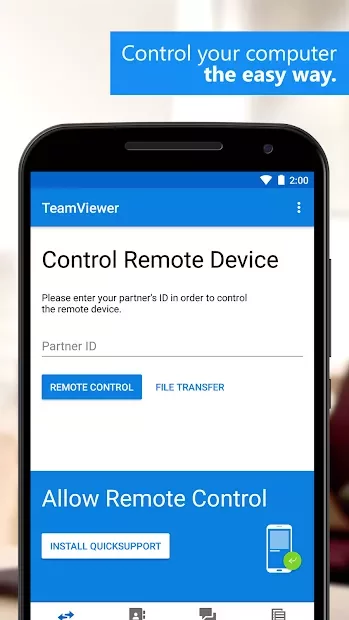
TeamViewer 15.31.119 is a powerful application designed to facilitate remote access to computers running Windows, Mac, or Linux operating systems from your Android device. With this app, you can connect seamlessly to your computer, enabling you to manage files, troubleshoot issues, and provide support to friends or colleagues from virtually anywhere. The user-friendly interface ensures that both novices and experienced users can navigate the app with ease, making remote control a hassle-free experience.
One of the standout features of TeamViewer is its stability. The app establishes a robust connection with your PC, allowing for smooth interactions even over slower internet connections. This is particularly useful for those who may need to access their work computers while on the go.
Whether you're in a coffee shop or traveling, TeamViewer keeps you connected to your important files and applications. Additionally, TeamViewer prioritizes security, employing strong encryption methods to protect your data during remote sessions. This ensures that your information remains confidential and secure, giving you peace of mind while accessing sensitive documents or performing administrative tasks remotely.
The app also supports multiple platforms, making it versatile for various use cases, from personal assistance to professional IT support. With TeamViewer 15.31.119, you gain the ability to control your desktop applications, run software, and even share your screen with others, enhancing collaboration and productivity. Download TeamViewer today and experience the convenience of remote access on your Android device.
How to install the app
- Check the version, Android compatibility, developer and source in the app details block.
- Open the Downloads tab and use the official source or an available catalog link.
- Before installing, review app permissions and use only sources you trust.
Frequently asked questions
What devices can I connect to with TeamViewer?
You can connect to computers running Windows, Mac, or Linux.
Is TeamViewer secure?
Yes, TeamViewer uses strong encryption to protect your data during sessions.
Can I use TeamViewer for personal and professional purposes?
Absolutely, TeamViewer is suitable for both personal assistance and IT support.
Do I need an account to use TeamViewer?
You can use TeamViewer without an account, but creating one offers additional features.





No comments yet. Be the first!