

TED
Open in Google PlaySpaceAPK does not provide APK files. A listed Google Play link is a reference: check the store for availability, version, price and paid features. The catalog version is not offered as a downloadable file.
App details
- Recorded version
- 3.1.8
- Updated
- 10.08.2021
- Category
- Arcade
- Compatibility
- Android 4.1
- Package name
com.ted.android- Source
- Google Play reference
TED is a leading multimedia platform that brings together thousands of talks from diverse fields including technology, entertainment, design, science, and business. The app serves as a gateway to a vast library of ideas that can inspire, educate, and inform users around the world. By curating high-quality content from renowned speakers, TED ensures that every visit offers fresh perspectives and valuable insights into the complexities of modern life.
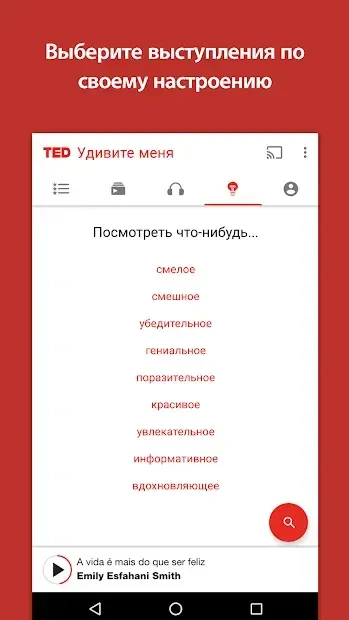
The application is designed for ease of use, allowing users to browse talks by category, search for specific topics, and discover new speakers with a single tap. Each video is carefully organized to help you find exactly what you are looking for, whether you are interested in the latest scientific breakthroughs or motivational speeches from industry leaders. The interface is intuitive, making it simple to navigate through the extensive catalog of available content.
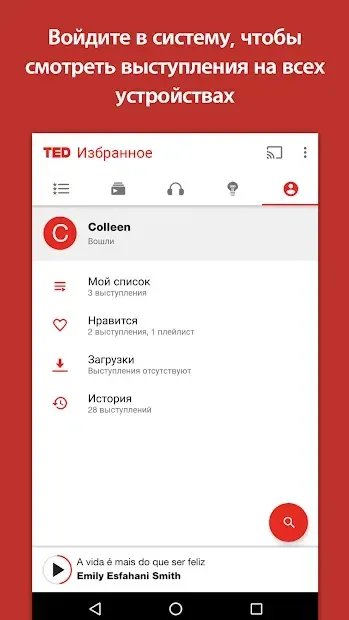
One of the standout features of the TED app is the ability to download videos for offline viewing. This is particularly useful for users who want to watch lectures during commutes or in areas with limited internet connectivity. You can save your favorite talks to a dedicated section, ensuring that you always have access to the ideas that matter most to you, even without an active data connection.
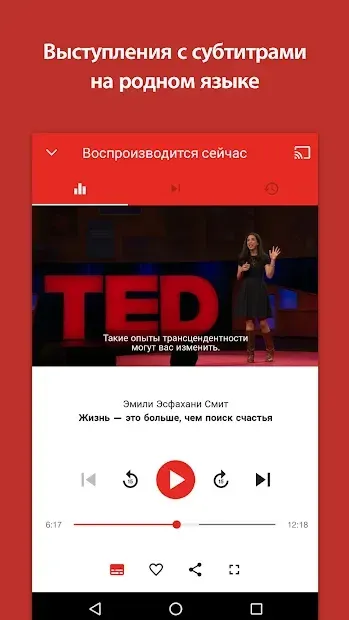
To make content accessible to a global audience, the app supports subtitles in multiple languages.
Availability and source
- Check the version, Android compatibility, developer and source in the app details block.
- Open the official app page on Google Play if a link is available.
- Before installing, review app permissions and use only sources you trust.
Frequently asked questions
Can I watch TED talks offline?
Yes, you can download your favorite talks to watch them later without an internet connection, which is perfect for travel or areas with poor signal.
Does the app support subtitles?
Absolutely, the app includes subtitles in multiple languages to help you understand speakers who present in foreign languages, making content accessible to everyone.
How are the talks organized?
Talks are categorized by topic such as technology, design, and business, making it easy to search for specific subjects or discover new speakers in areas you enjoy.
Is the app free to use?
The core experience of watching thousands of talks is free, allowing you to explore a wide variety of ideas and perspectives from leading experts around the world.
Similar apps


No comments yet. Be the first!