

Titanium Backup Pro
Open in Google PlayApp details
- Updated
- 28.11.2021
- Category
- Tools
- Package name
com.keramidas.titaniumbackup- Source
- Official Google Play page
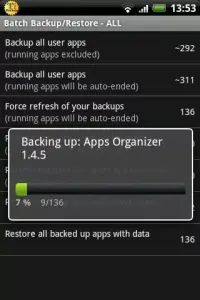
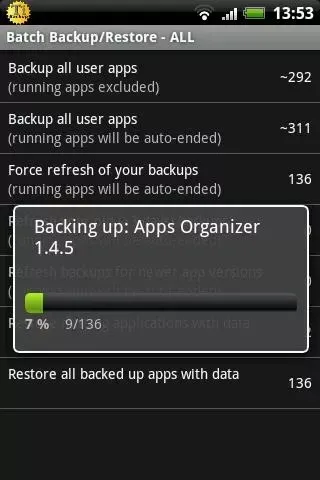
Titanium Backup Pro stands as one of the most powerful and versatile applications dedicated to advanced data management and backup solutions for Android devices. It is widely recognized for its unique capability to act as a comprehensive app manager, allowing users to take full control over their mobile environment. The core function revolves around creating robust backups of your applications and their associated data, ensuring that you never lose critical information due to system errors, updates, or device resets.
This reliability makes it an essential tool for power users who demand complete control over their Android ecosystem. The application offers a seamless experience for backing up a vast array of data, starting from extensive device settings and concluding with the specific parameters of each individual app. This includes the ability to save game progress, which allows for a complete restoration without any significant hassle.
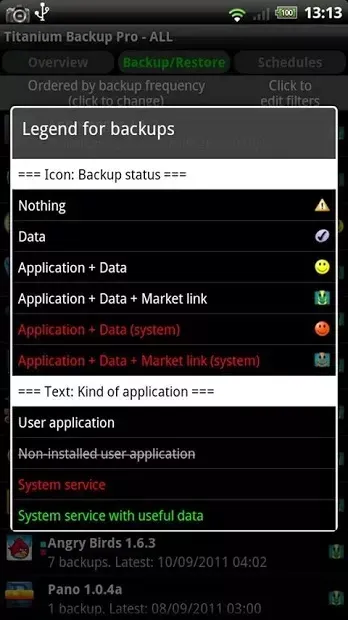
Users can restore their entire digital life with just a single tap, making the process of recovering from a broken device or a failed update incredibly efficient. The interface is designed to be intuitive, yet powerful enough to handle complex backup scenarios that standard tools cannot manage. Upon launching Titanium Backup Pro, you are greeted with a main menu featuring several key tabs: Schedule, Overview, and Backups.
How to install the app
- Check the version, Android compatibility, developer and source in the app details block.
- Open the official app page on Google Play if a link is available.
- Before installing, review app permissions and use only sources you trust.
Frequently asked questions
Does Titanium Backup Pro require ROOT access?
Yes, Titanium Backup Pro requires ROOT access to perform advanced backups of application data and settings effectively on most Android devices.
What can I backup with this app?
You can backup applications, their data, settings, and even game progress, allowing for a complete restoration of your app environment later.
Is it safe to use for restoring data?
It is safe and highly reliable, as it allows you to restore specific apps or data with a single tap, ensuring your digital life is never lost.
Where are the backup files stored?
Backup files are stored in a dedicated folder on your device's internal storage or SD card, which you can configure within the application settings.
Similar apps





No comments yet. Be the first!