
TP-Link Tether
DownloadApp details
- Updated
- 24.10.2026
- Category
- Tools
- Compatibility
- ANDROID
- Package name
com.tplink.tether- Developer
- TP-LINK SYSTEMS INC.
- Source
- Official Google Play page
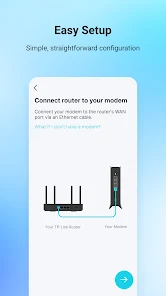
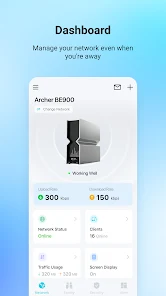
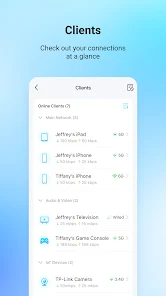
TP-Link Tether is a powerful mobile application designed to give you complete control over your home network right from your smartphone or tablet. This intuitive app allows you to connect to TP-Link routers, DSL modems, and Wi-Fi extenders quickly and efficiently. With a user-friendly interface, you can monitor network status, view connected client devices, and manage their permissions with ease.
It serves as an essential tool for users who want to maintain a stable and secure connection without needing to access a complex web interface. One of the standout features of the app is its robust parental control functionality. You can easily set up internet access schedules for specific devices and block certain URLs to ensure a safe browsing experience for your family.
Additionally, you can block unauthorized users from connecting to your network and manage their access rights. The app also includes a feature to automatically turn off LED lights on connected devices at specific times, providing a comfortable environment for evening relaxation. For users with Wi-Fi extenders, TP-Link Tether offers a location finder tool that helps you identify the best spot for placement to maximize signal quality.
The application supports the simultaneous management of multiple TP-Link devices, making it ideal for larger homes or small offices.
How to install the app
- Check the version, Android compatibility, developer and source in the app details block.
- Open the Downloads tab and use the official source or an available catalog link.
- Before installing, review app permissions and use only sources you trust.
Frequently asked questions
What devices does TP-Link Tether support?
The app supports TP-Link routers, DSL modems, and Wi-Fi extenders. Check the official website for the latest list of compatible devices to ensure your hardware works correctly.
Can I use parental controls with this app?
Yes, TP-Link Tether allows you to set internet access schedules for specific devices and block certain URLs. This feature helps you manage screen time and restrict content for children effectively.
Why is the app not working on my device?
The app may not function correctly if your device is connected to a guest network. Ensure you are connected to the main network and that your router firmware is updated to the latest version.
Does the app support multiple devices?
Yes, TP-Link Tether supports the simultaneous management of multiple TP-Link devices. You can monitor and control all connected routers and extenders from a single interface on your phone.
Similar apps







No comments yet. Be the first!