

Video to Audio- Video to MP3
DownloadApp details
- Version
- 5.6.9
- Updated
- 14.09.2026
- Category
- Multimedia
- Compatibility
- Android 7.0+
- Package name
videocutter.audiocutter.ringtonecutter- Source
- Official Google Play page
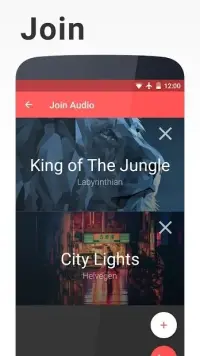
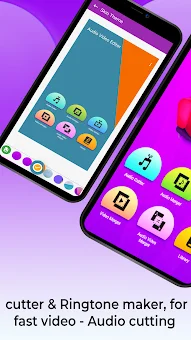
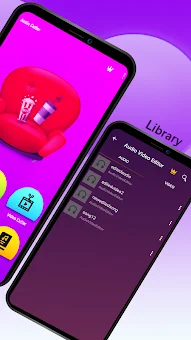
Video to Audio- Video to MP3 is a powerful and convenient Android application designed to simplify media conversion and editing. This versatile tool combines the functions of a video-to-audio converter, file trimmer, and professional social media video creator. It allows users to easily convert MP4 files to MP3, remove unwanted video and audio segments, and merge multiple clips into a single complete file.
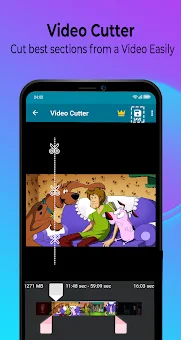
The app features an intuitive interface, making it simple to create high-quality Instagram Reels, YouTube Shorts, and TikTok videos without watermarks. The core strength of this program lies in its powerful audio extractor, which can extract soundtracks from any video clip. Users can trim and cut video segments with high precision using the built-in video cutter and trimmer functions.
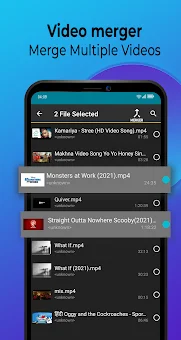
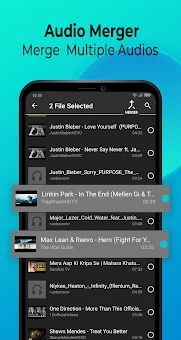
The application also allows you to freely combine several videos into a single HD clip, changing their order as needed. Additionally, a feature is available to split long videos into smaller segments for better content organization. Special attention is given to audio file creation.
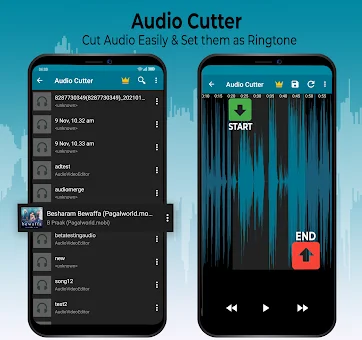
The program serves as an excellent ringtone generator, allowing you to select your favorite song fragment and set it as your ringtone or notification sound. An integrated GIF generator enables you to create animated images from videos and photos.
How to install the app
- Check the version, Android compatibility, developer and source in the app details block.
- Open the Downloads tab and use the official source or an available catalog link.
- Before installing, review app permissions and use only sources you trust.
Frequently asked questions
Can I convert MP4 files to MP3 with this app?
Yes, the application allows you to easily convert MP4 video files into MP3 audio files with high quality and fast processing speed.
Does the app add watermarks to exported videos?
No, you can create high-quality Instagram Reels, YouTube Shorts, and TikTok videos without any watermarks added to the final output.
How can I create ringtones using this tool?
The app includes a ringtone generator that lets you select a specific fragment of a song and set it as your phone's ringtone or notification sound.
Can I merge multiple video clips into one file?
Yes, you can freely combine several video clips into a single HD file and change their order according to your preferences before exporting.
Similar apps




No comments yet. Be the first!