
Volume Control Launcher
DownloadApp details
- Version
- 1.12.0
- Updated
- 15.09.2026
- Category
- Tools
- Compatibility
- Android 10+
- Package name
com.soundcontroller.loudspeaker.volume.manager.android- Source
- Official Google Play page
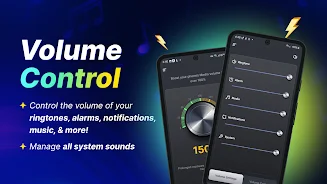
Are you tired of your phone's volume not matching your expectations? Volume Control Launcher is designed to make audio management as convenient and intuitively understandable as possible. This launcher allows you to adjust every aspect of your audio experience with precision, from your favorite music tracks to morning alarms.
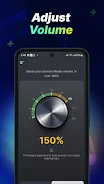
With an intuitive interface, you get full control over your sound in a single touch, making smartphone usage more comfortable and satisfying your daily needs. The application offers quick access to volume levels with a simple swipe. Change sound levels for music, video, ringtones, alarms, and notifications without leaving the home screen.
A useful widget on your desktop lets you view the time, weather, and other important information without entering additional menus, keeping your interface clean and efficient. Customize the external appearance by choosing from a wide selection of beautiful thematic wallpapers for the home or lock screen. The convenient search feature helps you find installed programs or information on the internet based on Yahoo with just a few clicks.
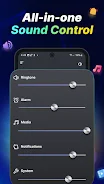
All system sound settings are centralized in one place for quick access, streamlining your audio experience. This application is ideal for any user who values convenience and clarity of sound in everyday life. It becomes an indispensable assistant during music listening, video watching, important calls, or morning wake-ups.
How to install the app
- Check the version, Android compatibility, developer and source in the app details block.
- Open the Downloads tab and use the official source or an available catalog link.
- Before installing, review app permissions and use only sources you trust.
Frequently asked questions
Does Volume Control Launcher change my installed apps?
No, all your programs remain on the phone. The launcher only changes the arrangement of icons on the home screen, but your apps are simply located in a different place.
Can I customize the look of the launcher?
Yes, you can choose from a wide selection of beautiful thematic wallpapers for both the home screen and the lock screen to personalize your device's appearance.
Is the application free to use?
Yes, the application is completely free. It features a lightweight interface that allows for easy volume regulation and clear sound management without any cost.
How do I access volume controls quickly?
You can access volume controls quickly with a simple swipe. Change sound levels for music, video, ringtones, alarms, and notifications without leaving the home screen.
Similar apps







No comments yet. Be the first!