
WatsGo - Phone Transfer
DownloadApp details
- Version
- 3.2.02.04
- Updated
- 24.07.2026
- Category
- Tools
- Compatibility
- Android 7.0+
- Package name
com.luckydog.chatsgo- Source
- Official Google Play page
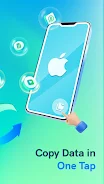
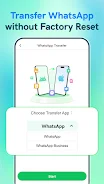
WatsGo - Phone Transfer is a powerful Android application designed to simplify the process of changing devices, making data migration secure, fast, and stress-free. This robust tool ensures the safe copying of all your important files, messages, and media, providing a seamless experience whether you are upgrading to a new phone or switching ecosystems. With WatsGo, you can quickly transfer WhatsApp and WhatsApp Business data to a new device with just a few clicks, making it the ideal solution for users who want to preserve their digital history without hassle.
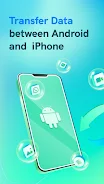
One of the standout features of WatsGo is its ability to transfer WhatsApp data effortlessly. You can move your entire chat history, including images, videos, voice messages, documents, and stickers, directly to your new iPhone. This app provides a frictionless method for migrating data from Android to iOS, ensuring that no critical communication records are lost during the transition.
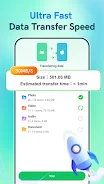
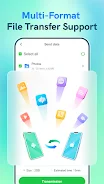
It is specifically engineered to handle the complexities of cross-platform data migration with precision and reliability. Beyond WhatsApp, WatsGo offers comprehensive phone data transfer capabilities. You can swiftly move essential data from your Android device, such as photos, videos, audio files, and documents, to your new iPhone using its smart cloning technology.
The app supports various transfer methods to suit your connectivity preferences.
How to install the app
- Check the version, Android compatibility, developer and source in the app details block.
- Open the Downloads tab and use the official source or an available catalog link.
- Before installing, review app permissions and use only sources you trust.
Frequently asked questions
Can I transfer WhatsApp data from Android to iPhone using WatsGo?
Yes, WatsGo allows you to easily transfer your entire WhatsApp and WhatsApp Business chat history, including media and documents, from Android to iPhone.
Does WatsGo require an internet connection for data transfer?
No, WatsGo uses a local hotspot or OTG cable for data transfer, so it does not consume mobile data or require an active internet connection.
Is it necessary to reset my iPhone before using WatsGo?
No, you do not need to reset your iPhone settings. WatsGo safely copies data while preserving your existing content on the new device.
Which Android devices are compatible with WatsGo?
WatsGo supports a wide range of Android brands, including Samsung, Huawei, OPPO, vivo, Xiaomi, and others, ensuring broad compatibility.
Similar apps


No comments yet. Be the first!